Dynamic IP Restriction for Azure App Services
Azure app service has a fascinating feature which is Dynamic IP
Restriction, using this feature we can protect our Apps services from
the external attack like Distributed Denial of Services.
Two settings for protecting our Azure App Services:
Azure provides two types of settings which will make us to protect our
App service:
- Deny IP Address based on the number of concurrent requests
- Deny IP Address based on the number of requests over a period of
time
Let’s see how to configure this feature
How to Configure Dynamic IP Restriction for Azure Apps service?
We can configure Dynamic IP Restriction by following the below steps
Step1:
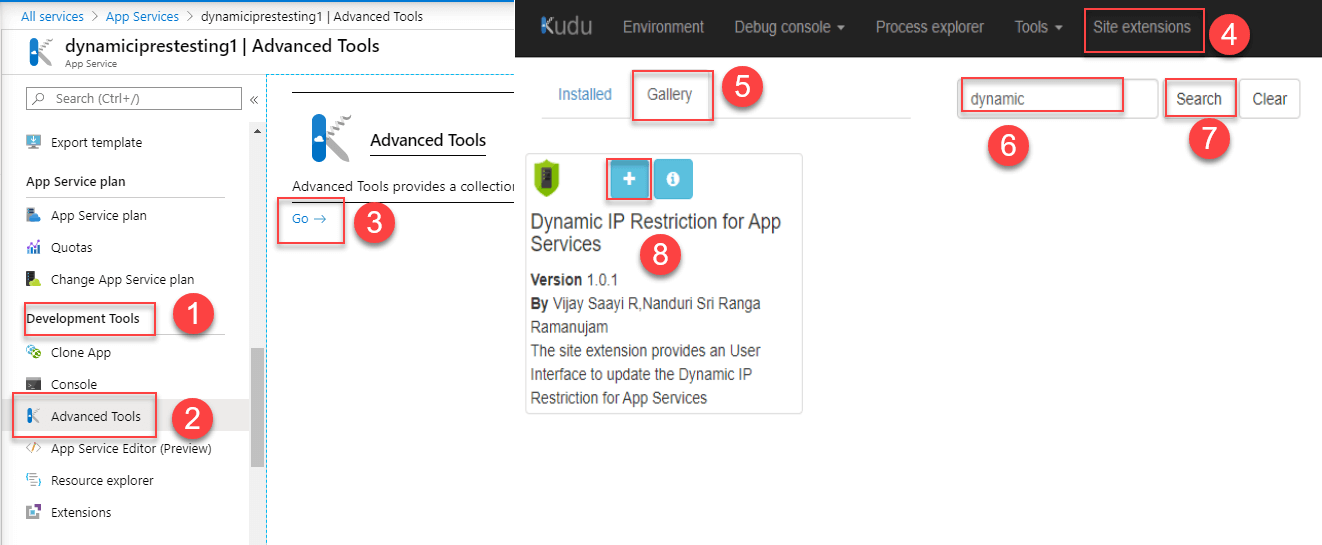
Go to App service → Development Tools → Advanced Tools → Click Go → Now
Kudu page is open → Click Site extensions → Gallery → search with value
of dynamic → Click + icon to install Dynamic IP Restriction for App
Services.
Step2:
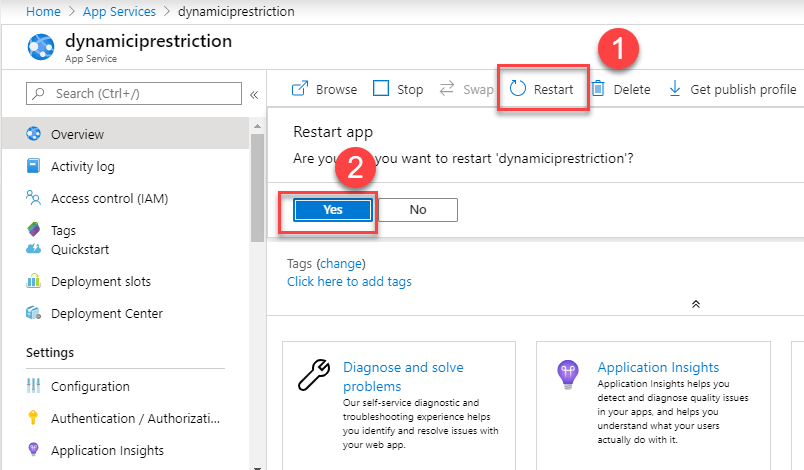
We need to restart App services once after installing the “Dynamic IP
Restriction for App services” site extension.
Step3:
Now let’s hop into the core part, choose any of the below settings to
configure, this will prevent our app service from risk
- Deny IP Address based on the number of concurrent requests
- Deny IP Address based on the number of requests over a period of
time
We can configure this setting from any one of the following options.
- Web.config
- applicationHost.xdt
- Through UI
Deny IP Address based on the number of concurrent requests:
This setting will Deny the IP Address if the request is received
concurrently,
Web.config:
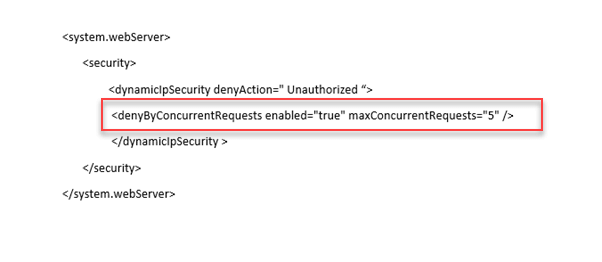
To configure this setting, go to Advanced Tools(kudu) and open the
Web.config file, we need to add the highlighted values as shown in the
below image.
applicationHost.xdt:
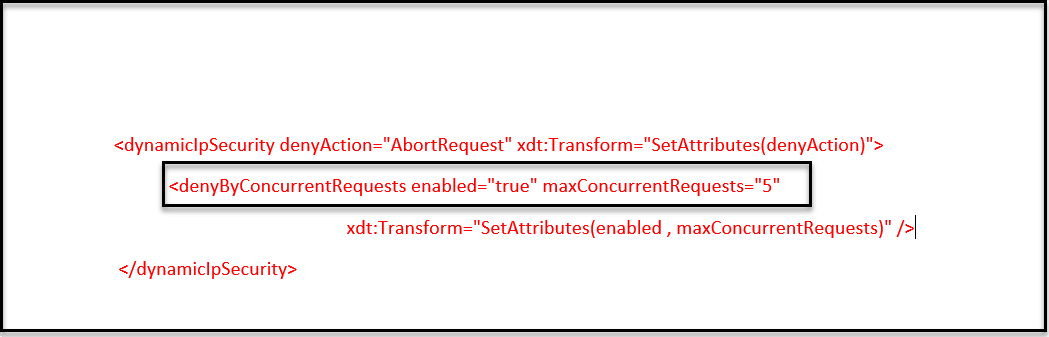
Here we can work with the status code and values which are highlighted
in the below image, the setting which is played in applicationHost.xdt
will reflect immediately in Dynamic IP Restriction for App service UI.
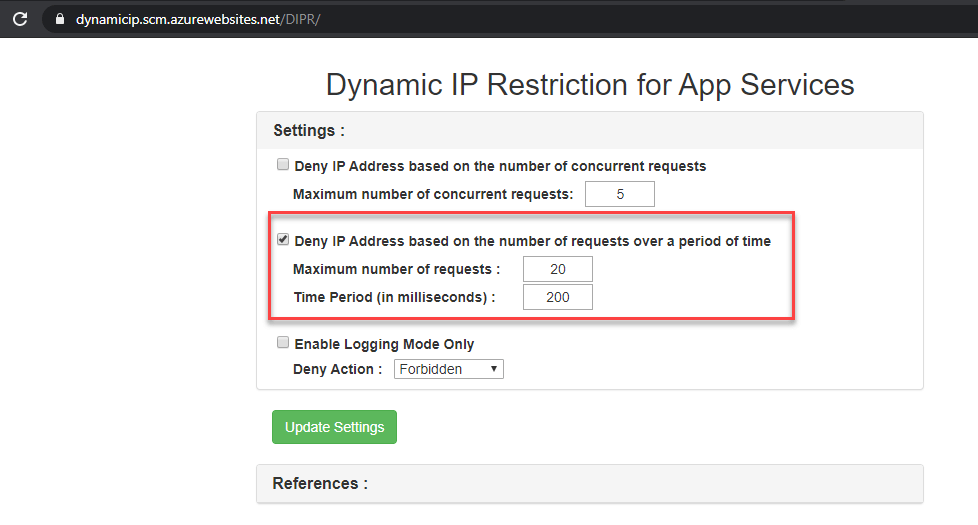
Through Dynamic Ip Restriction for App service UI
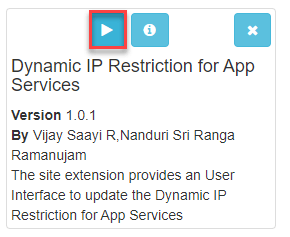
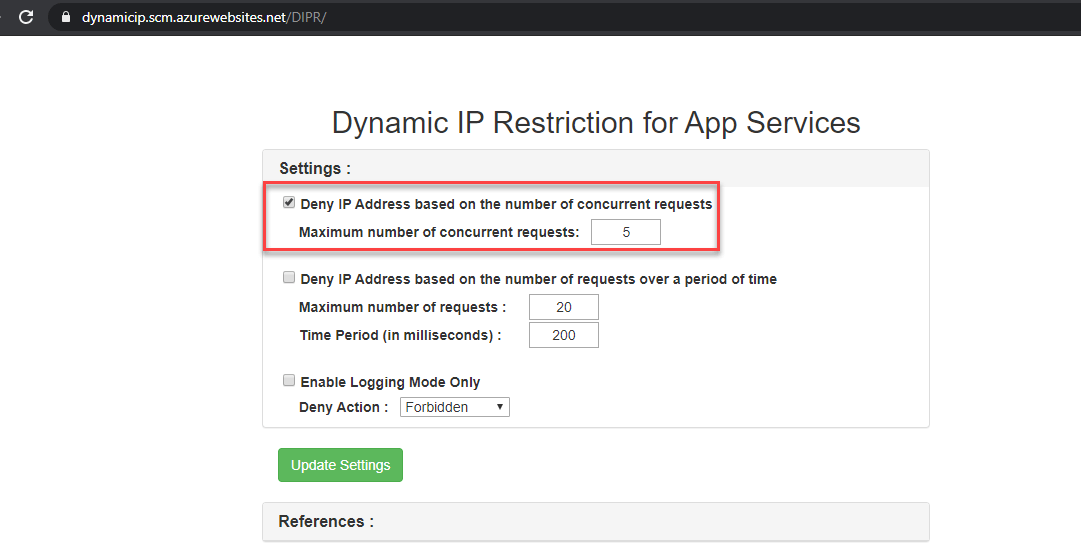
This setting can also attain from Dynamic IP restriction for Apps
services UI. Go to Advanced Tools(kudu) → Site extensions → Installed →
select arrow in Dynamic IP Restriction for App service.
That’s it, now this UI seems like scrumptious fruits, which delivers all
the setting in one view, here we can just play with values.
Deny IP Address based on the number of requests over a period of time:
This setting is to deny the IP Address if the request is received from a
single IP over a while.
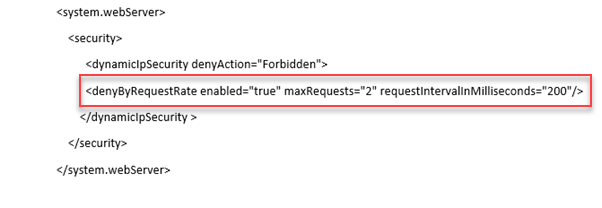
Web.config:
To configure this setting, go to Advanced Tools(kudu) and open the
Web.config file, we need to add the highlighted values as shown in the
below image.
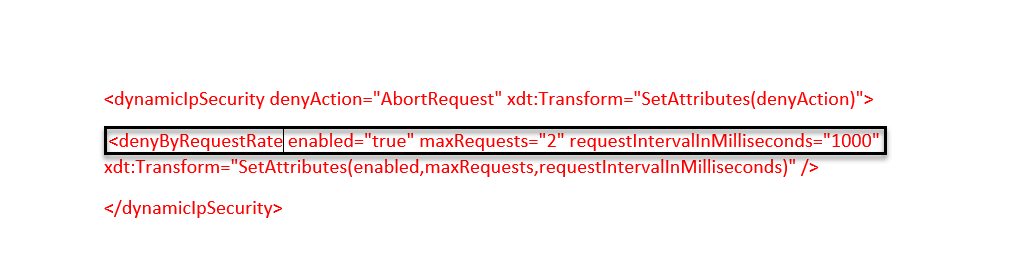
applicationHost.xdt:
See the below image to configure Deny Ip Address based on several
requests in applicationHost.xdt file. Here we need to work with the
status code and values which is highlighted in below image
Through Dynamic Ip Restriction for App service UI:
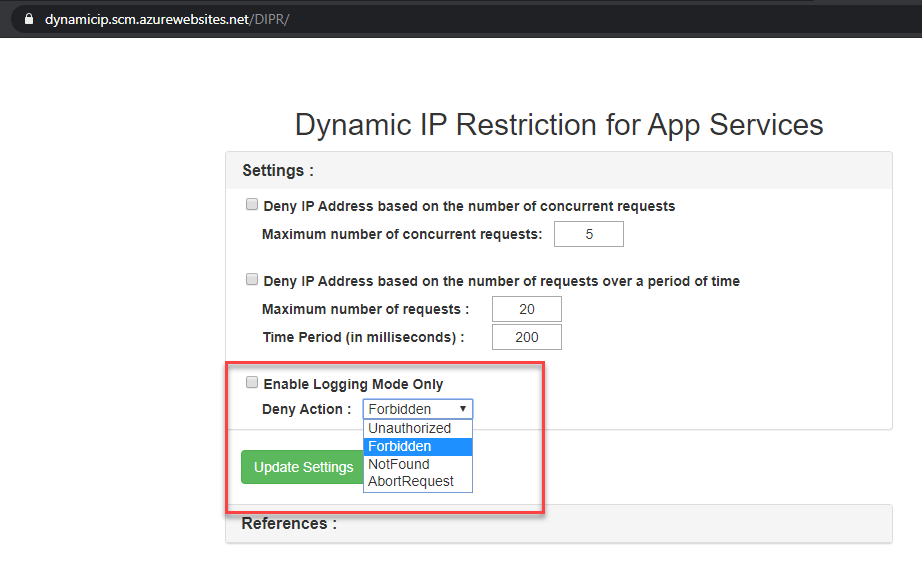
Enable Logging Mode only:
Enable the Logging Mode only is used for illustrating the error in the
browser, here we list down the Enable the Logging Mode only values
with corresponding HTTP status code.
| Values | Returns HTTP status code |
|---|---|
| AbortRequest | 0 |
| Unauthorized | 401 |
| Forbidden | 403 |
| NotFound | 404 |
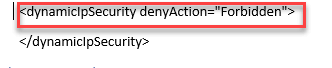
This above status can be set from web.config or applicationHost.xdt or
through UI.
Web.config
applicationHost.xdt:

Through Dynamic Ip Restriction for App service UI:
User experience:
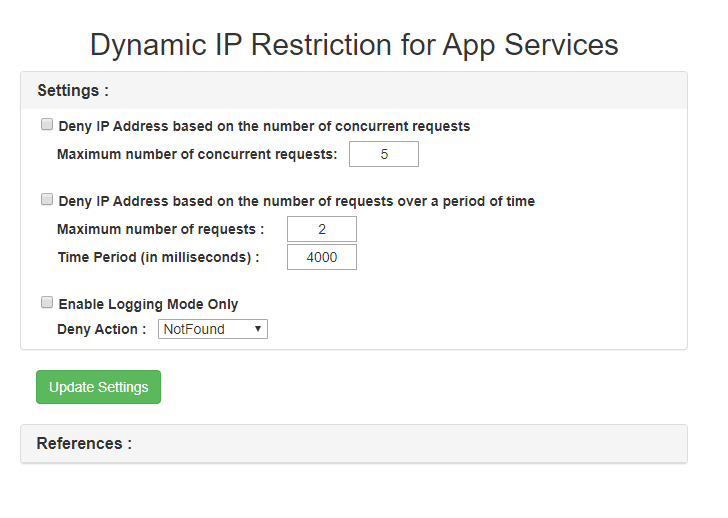
In our example, We set following setting from Dynamic Ip Restriction for
App service UI.
- Maximum number of requests: 2
- Time Period: 4000 milliseconds
- Deny Action: NotFound
which is shown below.
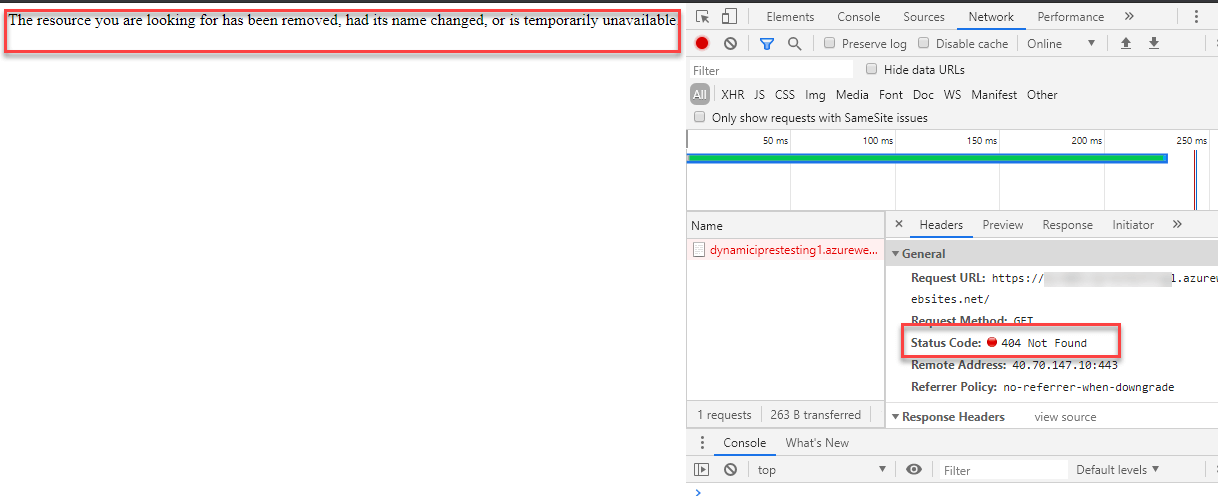
As a result, the error shows as “The resource you are looking for has
been removed, had its name changed, or is temporarily unavailable” with
404 Not found error.