Microsoft added the Reply and Forward options in the Microsoft
Teams Mobile App. Using this feature, we can reply with the original
message in private chat and forward any chat/channel message to another
chat/channel.
Reply:
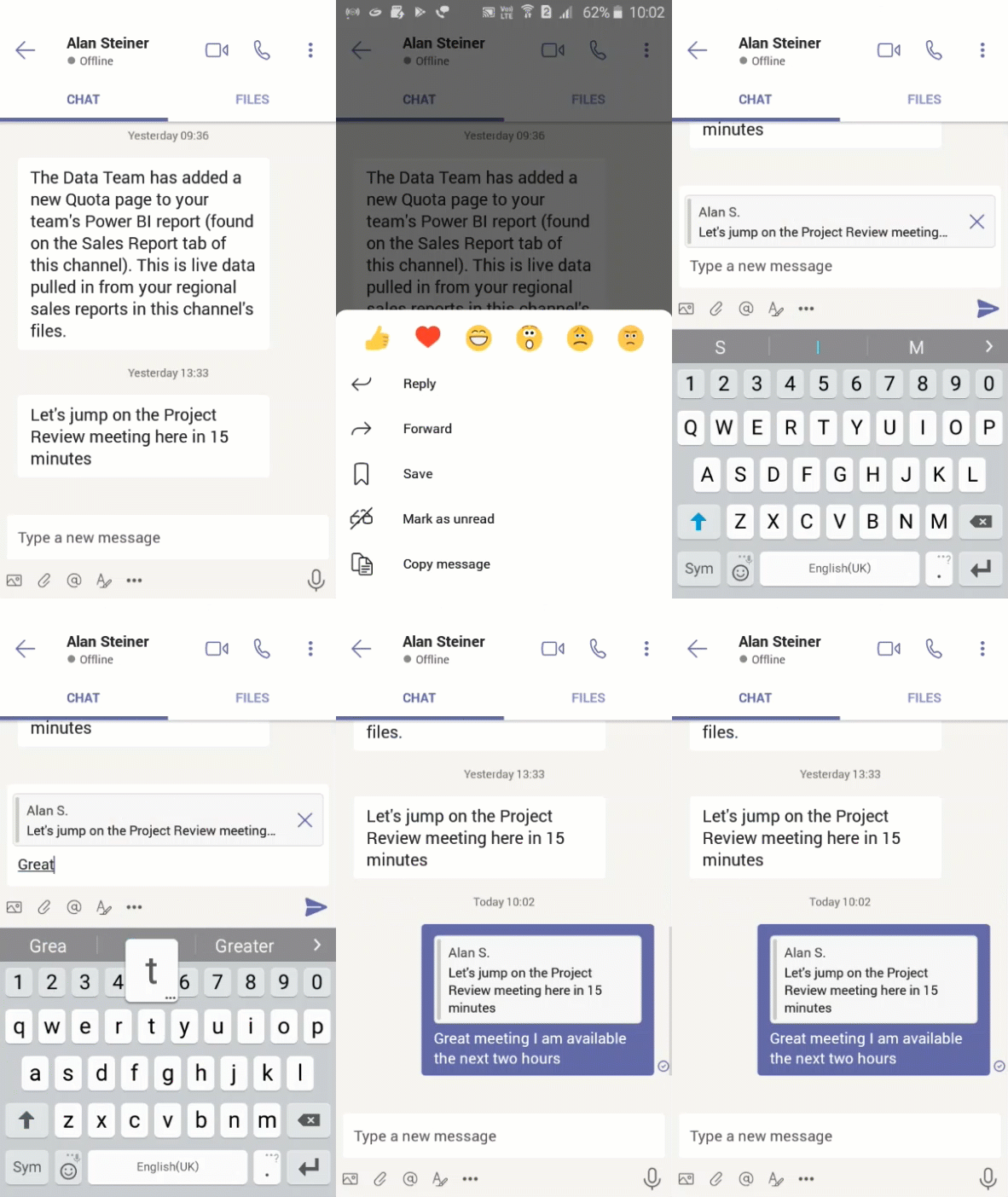
We can reply with the old message in personal chat, so the existing
message is coded with your reply message.
Forward:
We can perform the following scenarios using forward.
- Channel conversation to another channel conversation[Cross post
channel conversations] - Channel conversation to personal chat
- One to one personal chat
- Personal chat to channel conversation
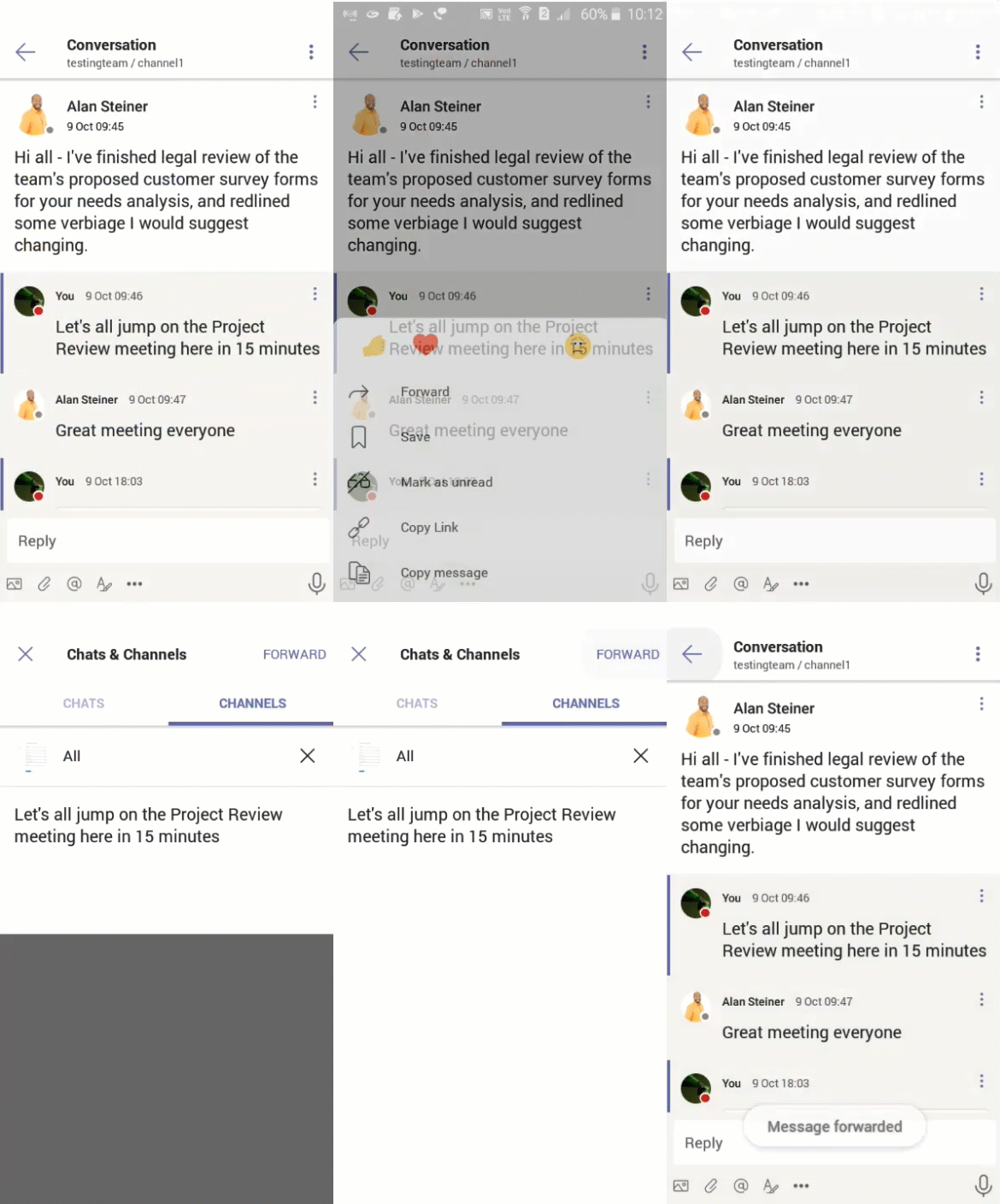
Channel conversation to another channel conversation:
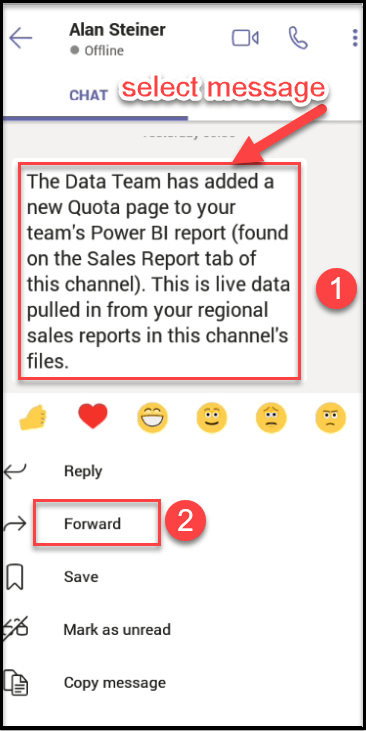
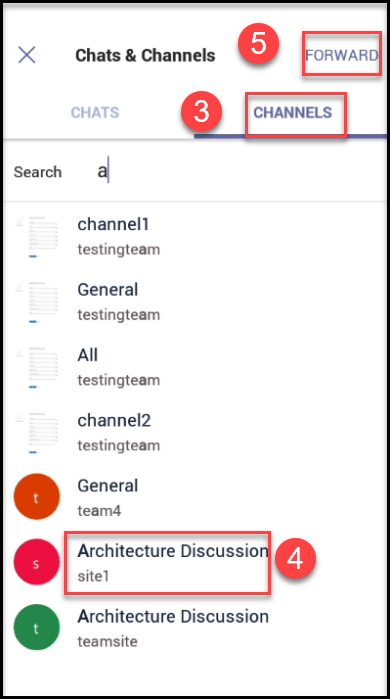
In this scenario, we can forward the channel conversation to other
channel conversation.
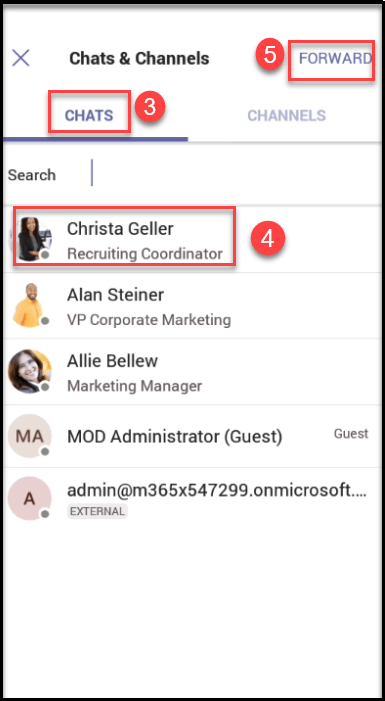
Channel conversation to personal chat:
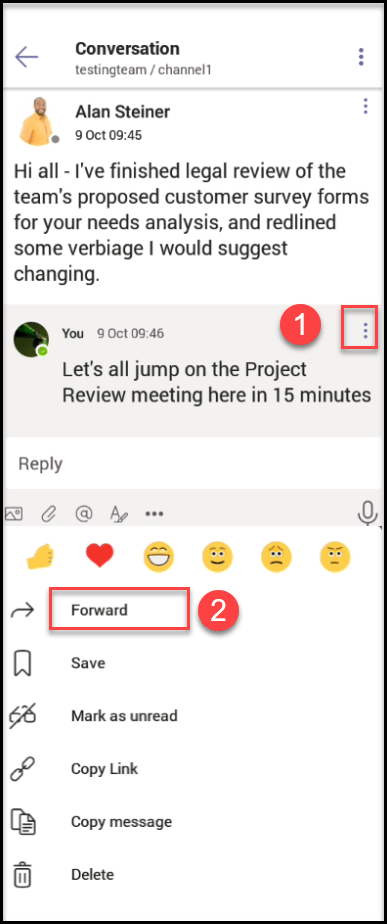
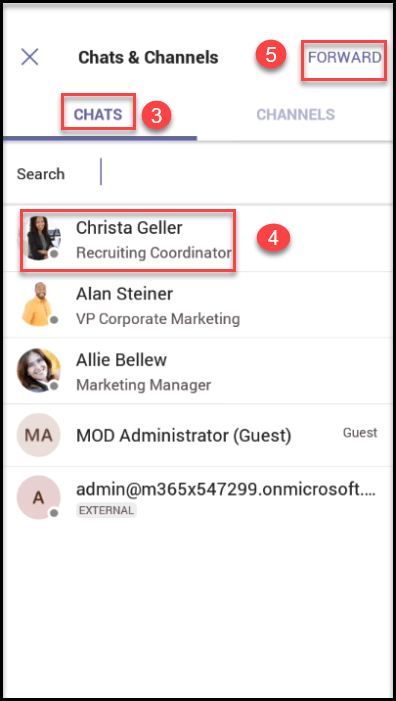
In this scenario, we can forward the channel conversation to other
personal chat, follow the numerical points as shown in the below
screenshot to forward the message from channel to personal chat.
One to one Personal chat:
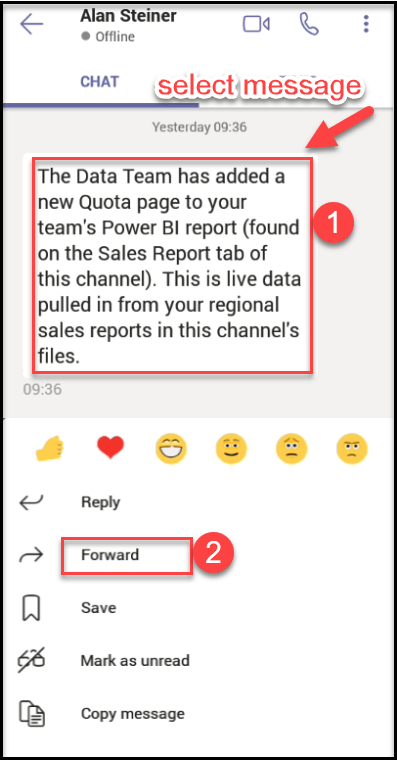
In this scenario, we can forward the message from one personal chat to
another personal chat.
Personal chat to channel conversation:
In this scenario, we can forward the message from personal chat to
channel.