

This blogs showcases the keyboard shortcuts for Microsoft Teams to
improve your productivity.
Microsoft Teams Shortcuts
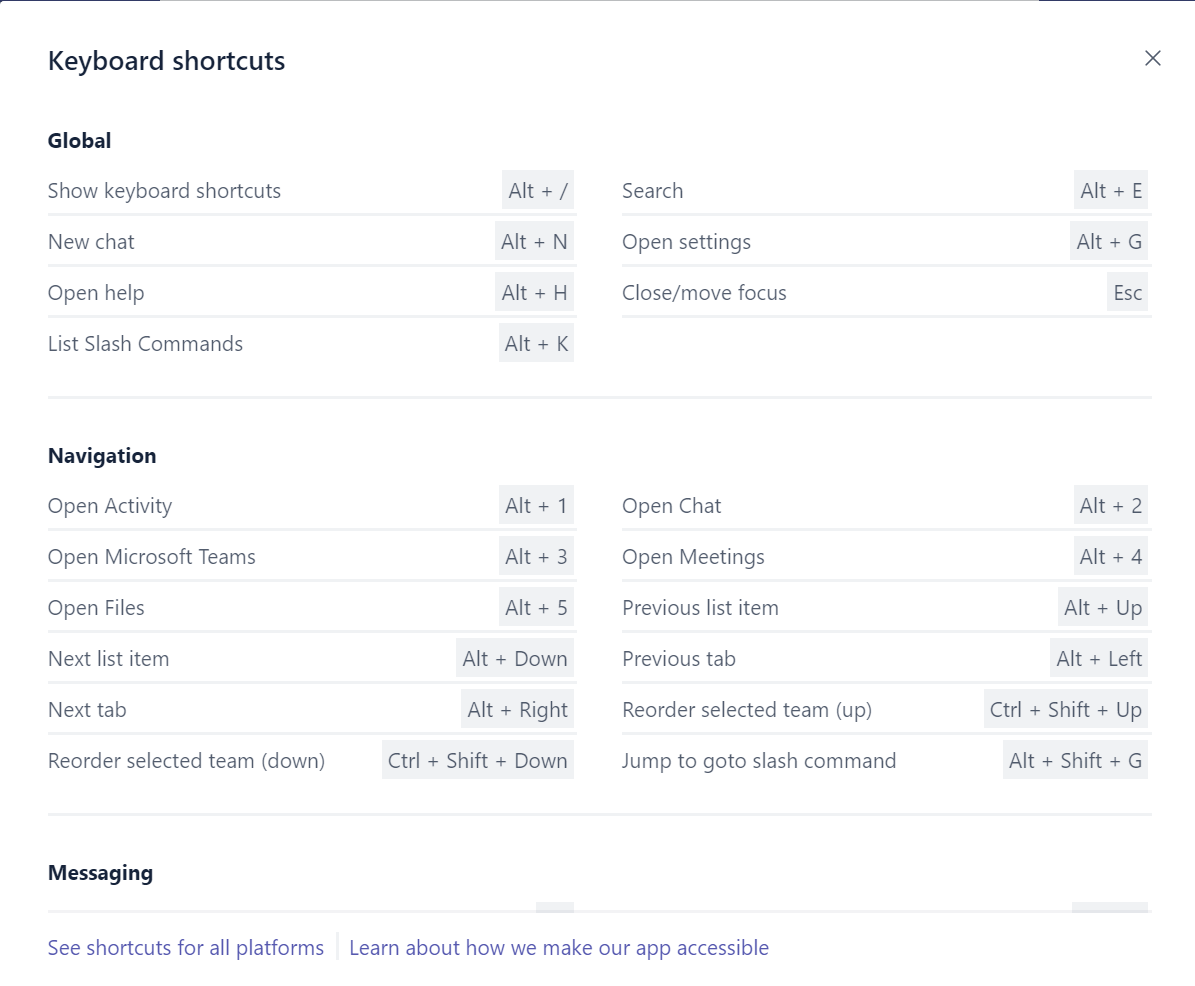
To get the summary of shortcut keys for Microsoft Teams use Alt + /.
The shortcut keys mentioned in this blog are specific to Windows
platform. To view the shortcuts for all platforms follow
here.
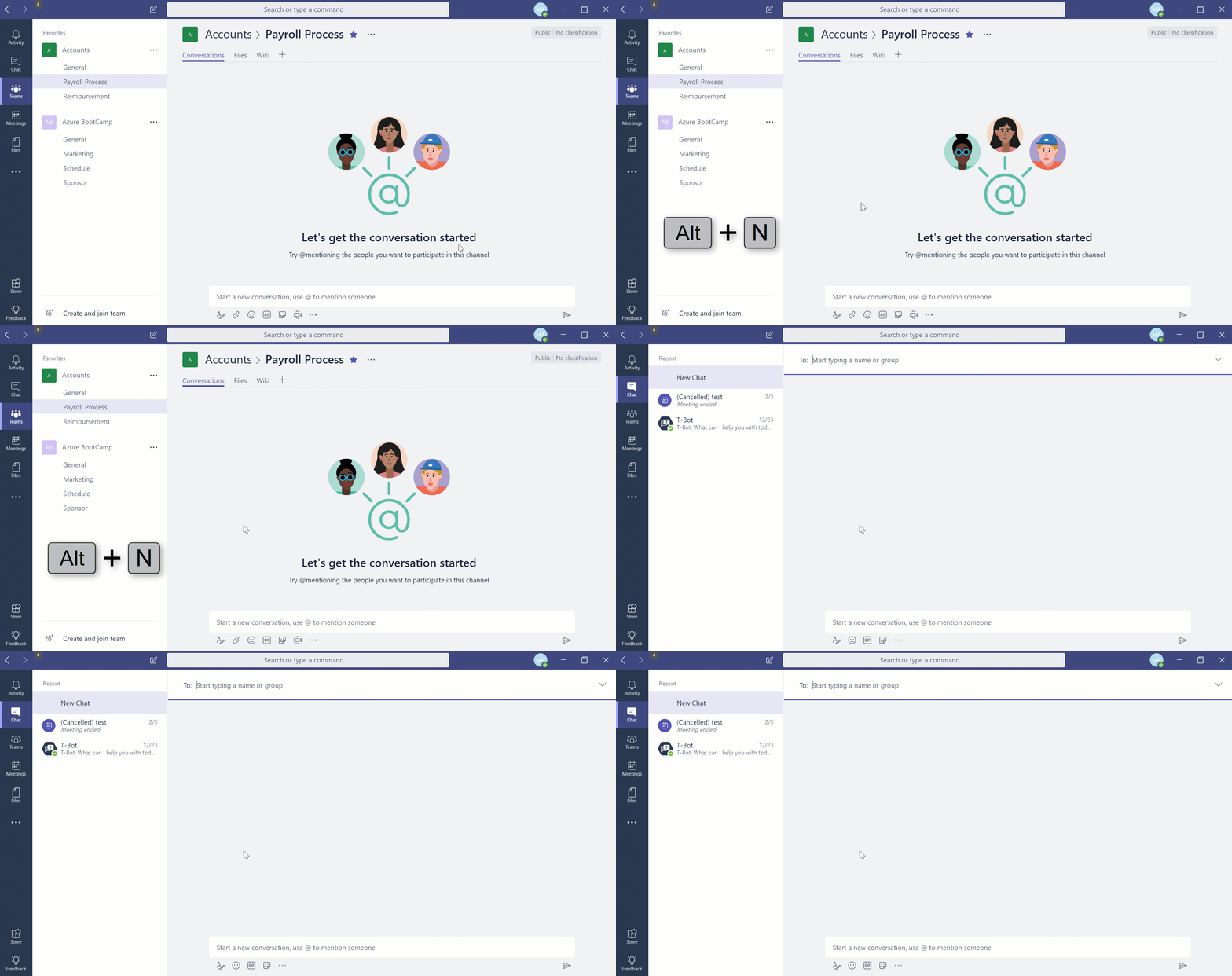
Shortcut to start a new chat
Use Alt + N to start a new chat.
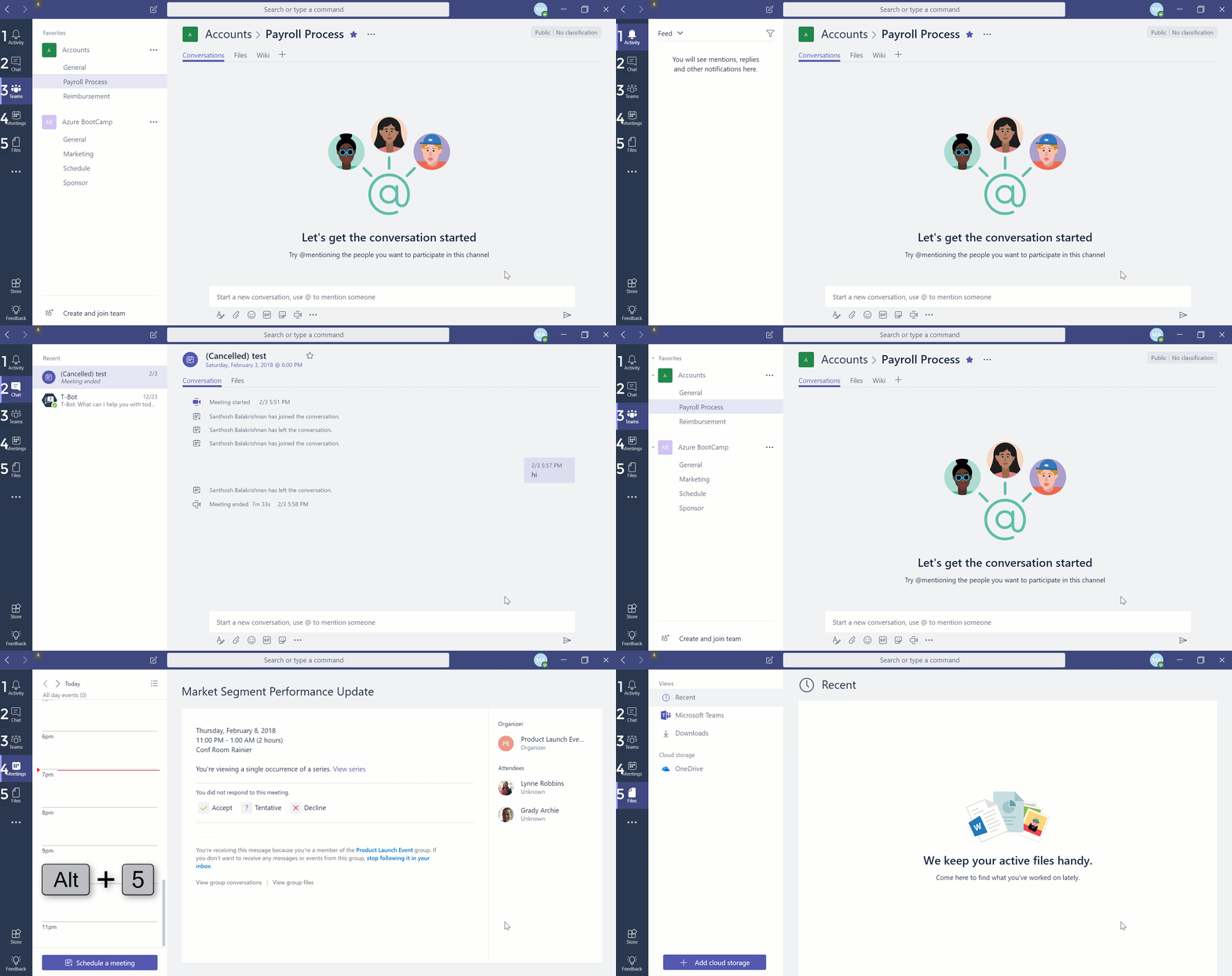
Shortcut to navigate between sections
Alt + 1 – Goto Activity
Alt + 2 – Goto Chat
Alt + 3 – Goto Teams
Alt + 4 – Goto Meetings
Alt + 5 – Goto Files
Shortcut to navigate lists
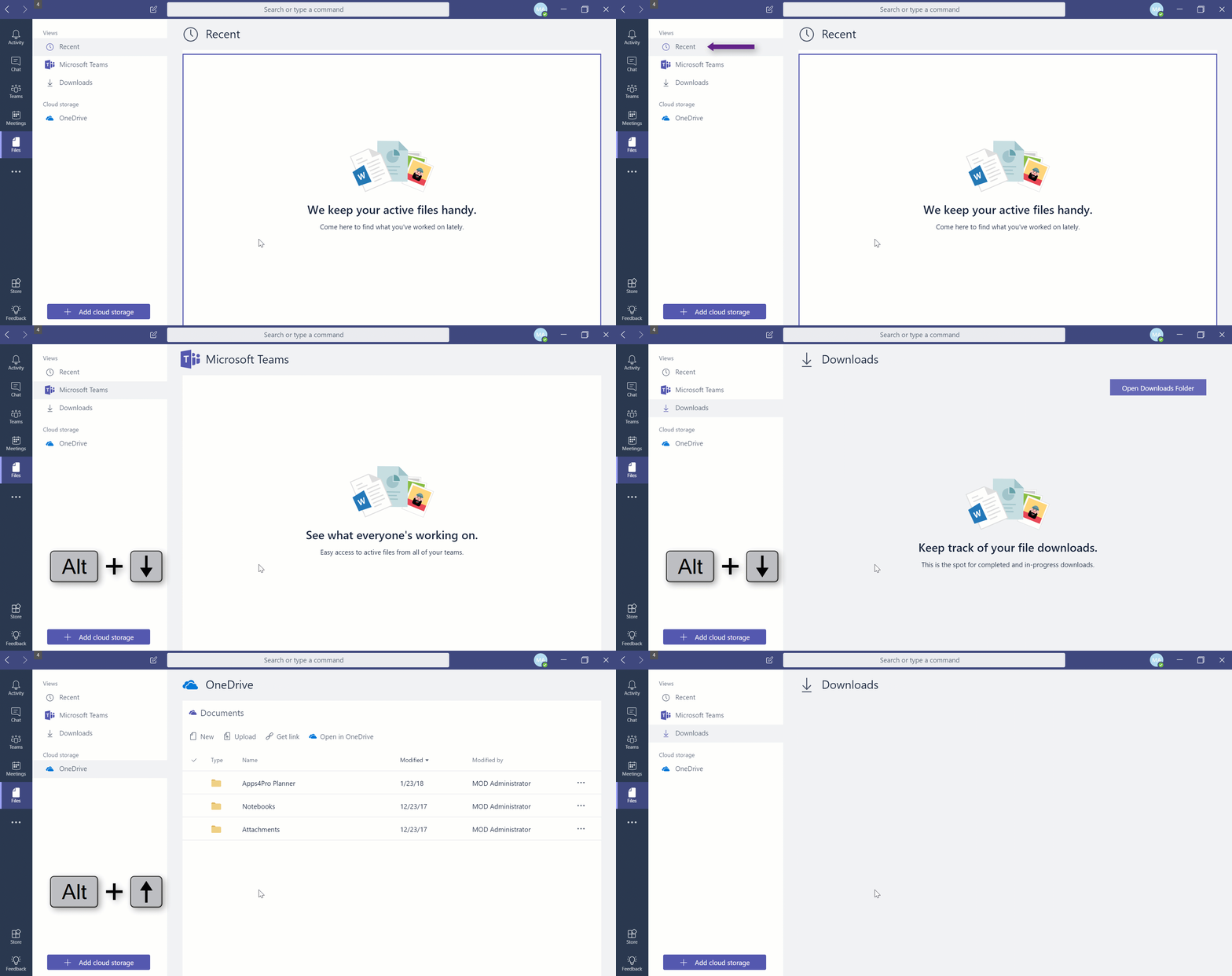
To navigate on list items in Microsoft Teams, use Alt + Up / Alt +
Down. The below animation shows the navigation on files, but you can
navigate on chats, Team channels etc.
Shortcut to navigate tabs
To navigate on tabs in Microsoft Teams, use Alt + Left / Alt +
Right.

















