It seems Microsoft pushing the features in Microsoft Teams every week.
Below are new features released in January 2018.
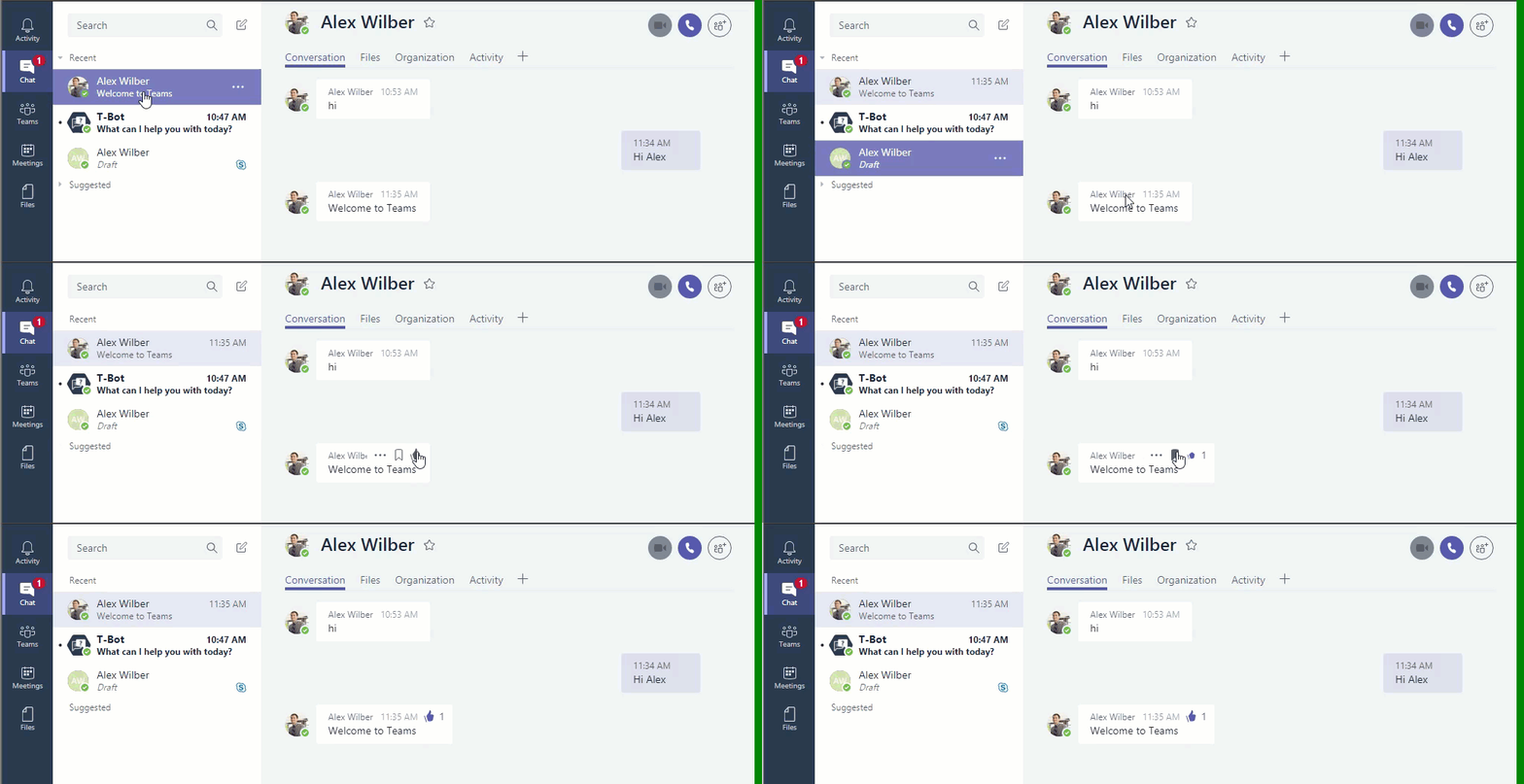
- Like in Personal Chat
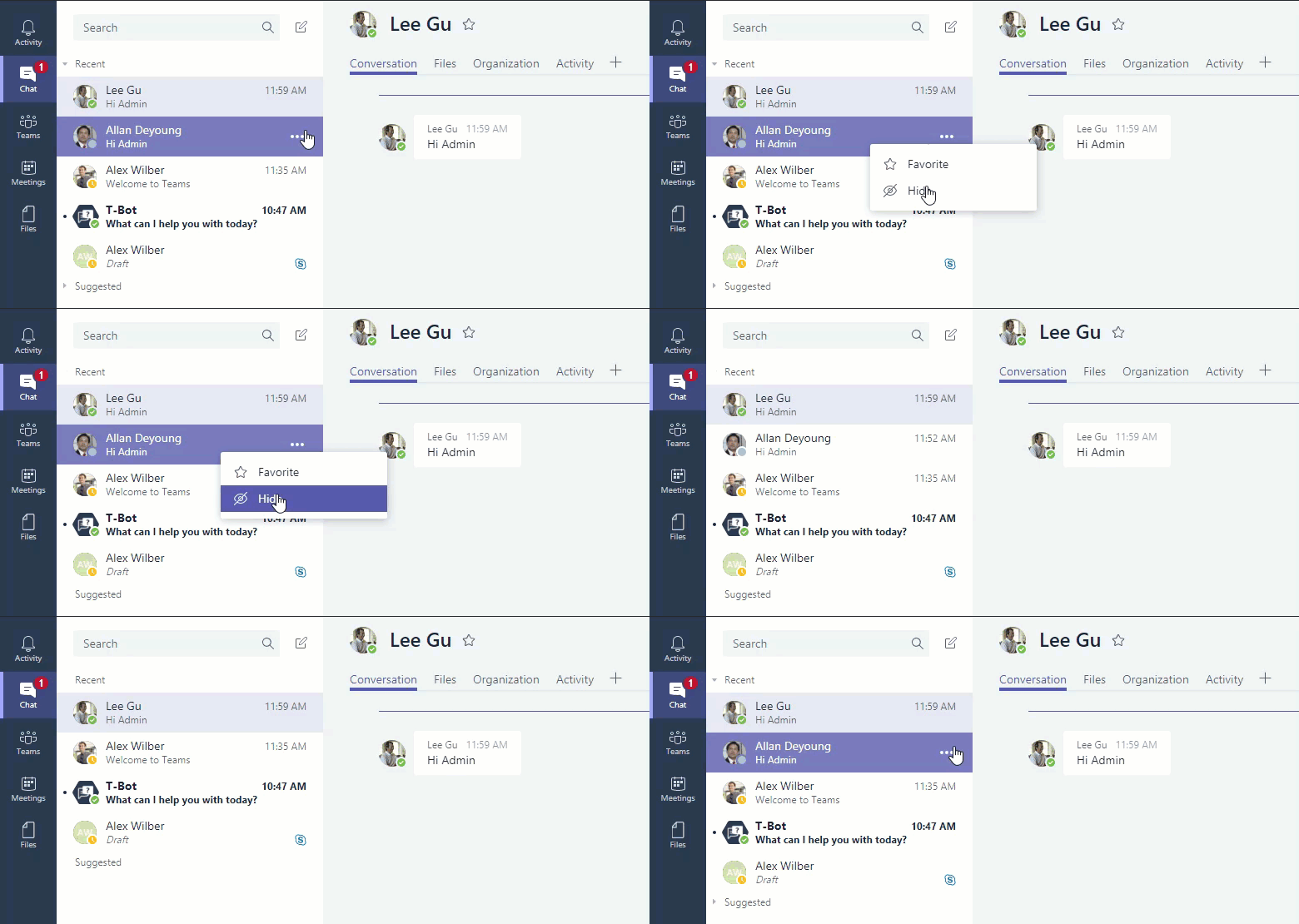
- Hide recent chat
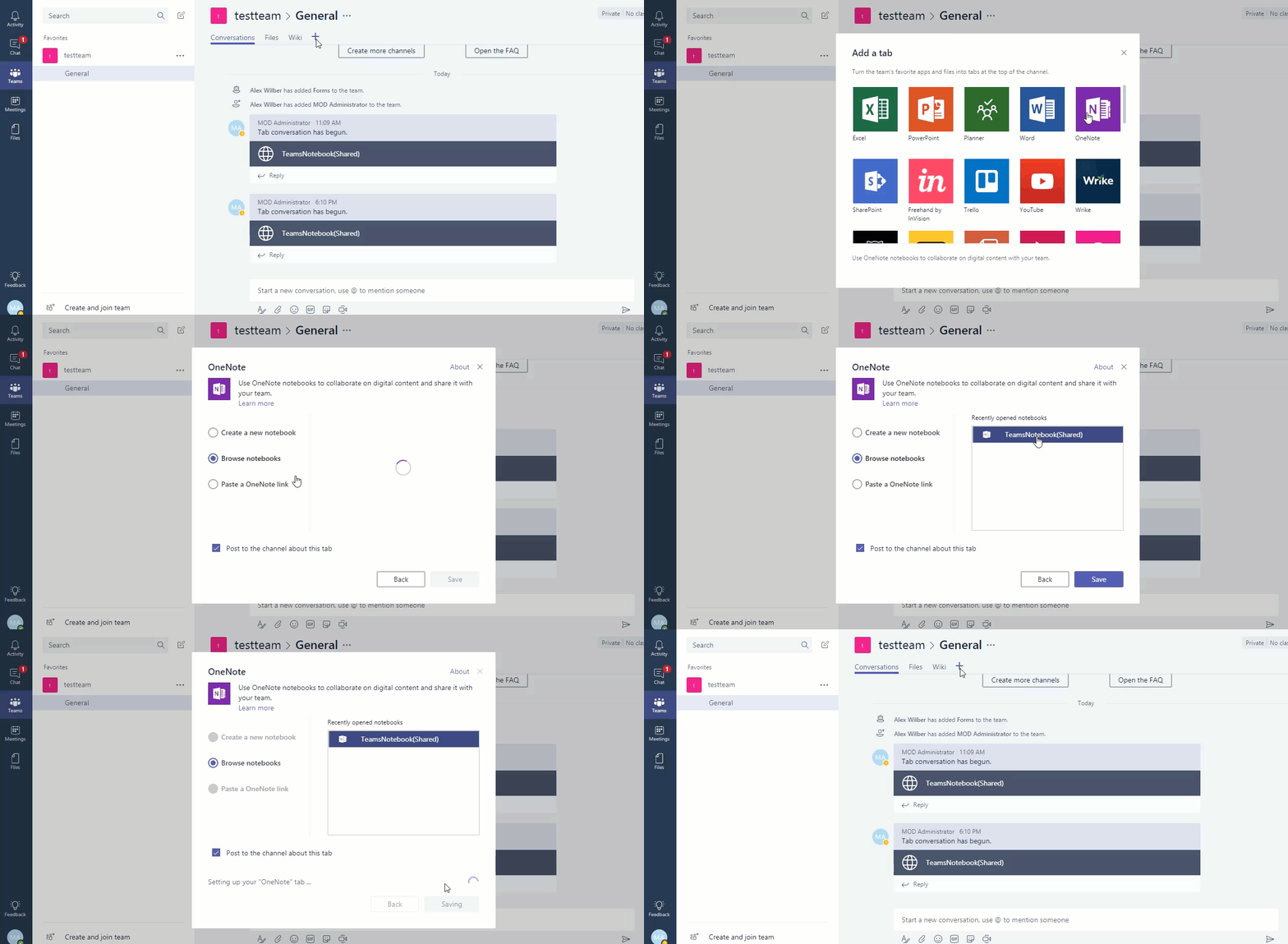
- Add existing OneNote as a tab
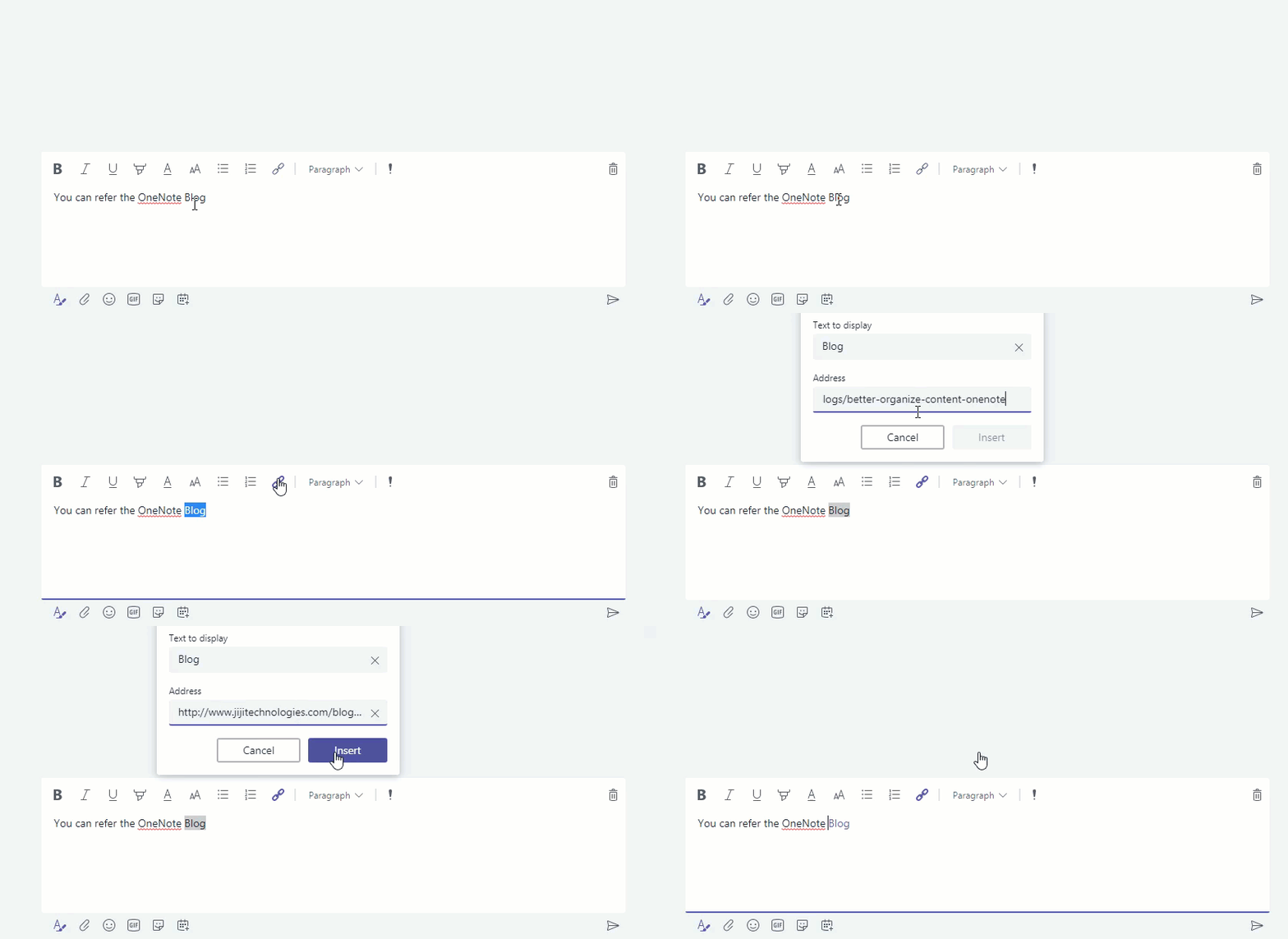
- Hyperlink
Like in Personal Chat
Earlier you can like messages in Teams Conversations alone, now you can
like 1:1 or group chat messages.
Hide recent chat
You can now clean up old or inactive chats from the chat list by hiding
it.
Hyperlink
You can now create hyperlink in team conversation and chat. You can use
the shortcut Ctrl + K.
Add existing OneNote as a tab
In previously you can only create new OneNote tab but now you can also
select existing OneNote in channel tab.