

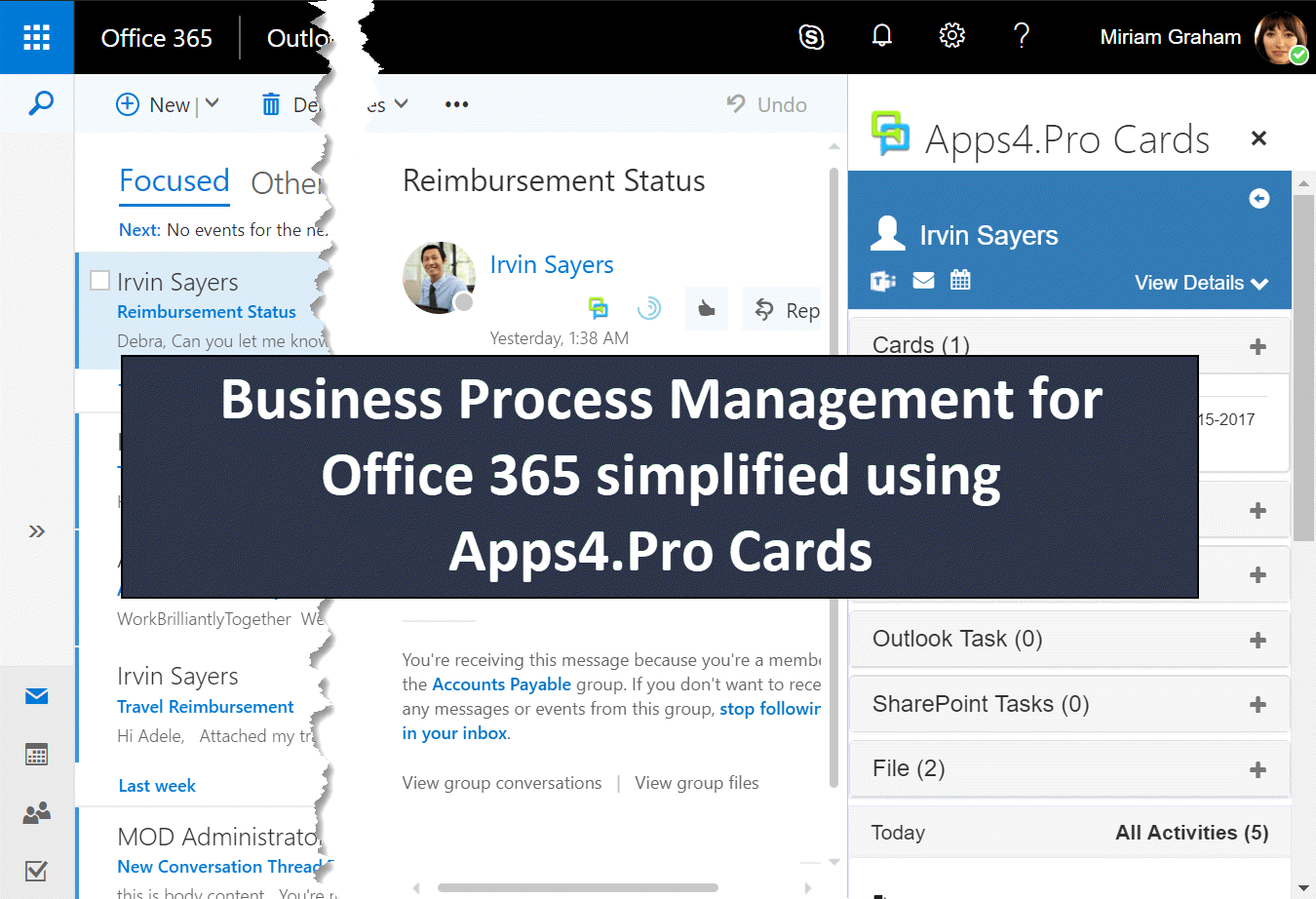
In this blog we shall explore how a typical travel reimbursement process
flows, what are normal issues we face in it when using with Office 365
and finally how we can optimize and be productive using Apps4.Pro Cards.
Below is the typical travel reimbursement process.
- User submits the bills to the accounts team
- Account will verify the bills and issues reimbursement
- In some cases, the accounts team will forward it to the HR team for
the cross verification and will do the reimbursement
Scenario
Now consider the below case where the user comes back to the account
team to check the status.
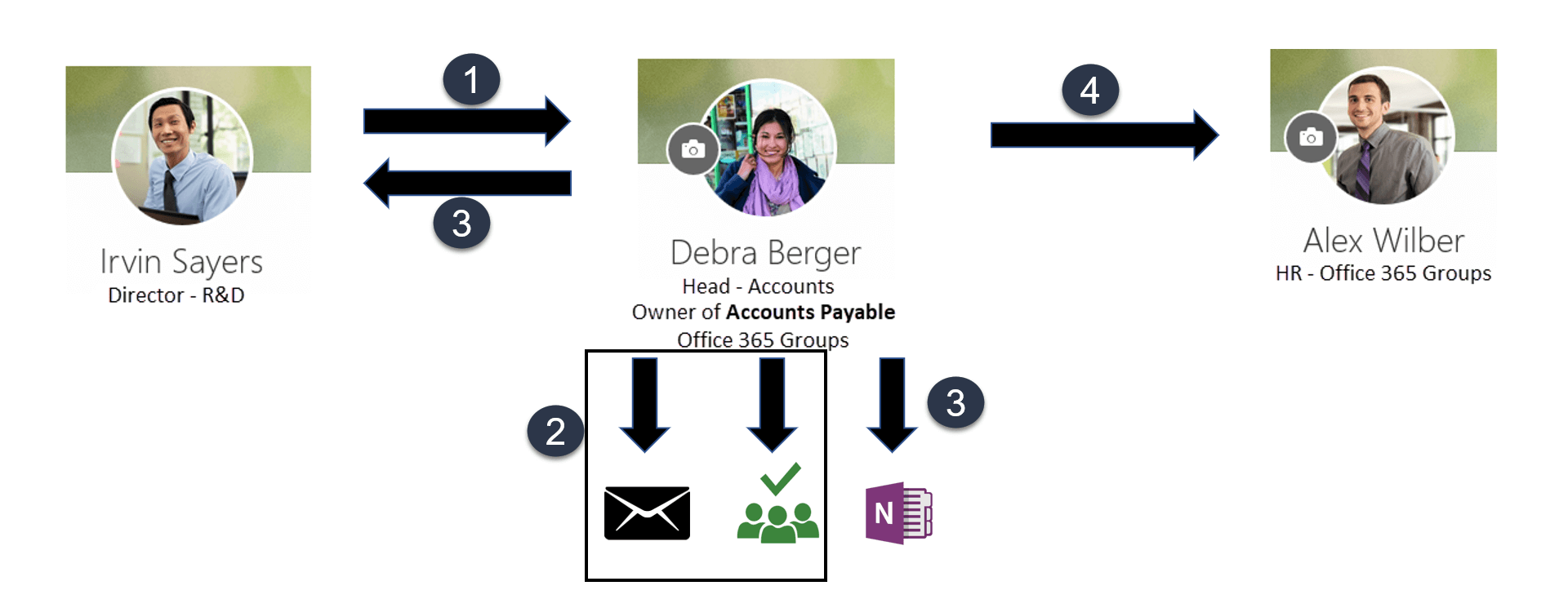
- Irvin sends mail to Account Payable to check status of his travel
reimbursement. - Debra checks recent conversation and tasks for Irvin from Planner to
understand the context. Debra finds Irvin’s travel reimbursement is
in long due. - Debra decides to call Irvin and inform the status. So Debra adds a
personal remainder for this email. - Debra needs to do HR verification for this and sends this as email
to HR Office365 Groups.
Problems
- Unable to find / link related information for an email
- No mechanism available for Process flow for a task between different
Office365 Groups
How Apps4.Pro Cards helps you
In Apps4.Pro Cards, you can organise cards in a list. The card can be
anything like a ticket, task, deal, account or contact. Users can
customize and create list with any card type. A list can be created for
a Office365 Group, through which business processes will flow into the
group.
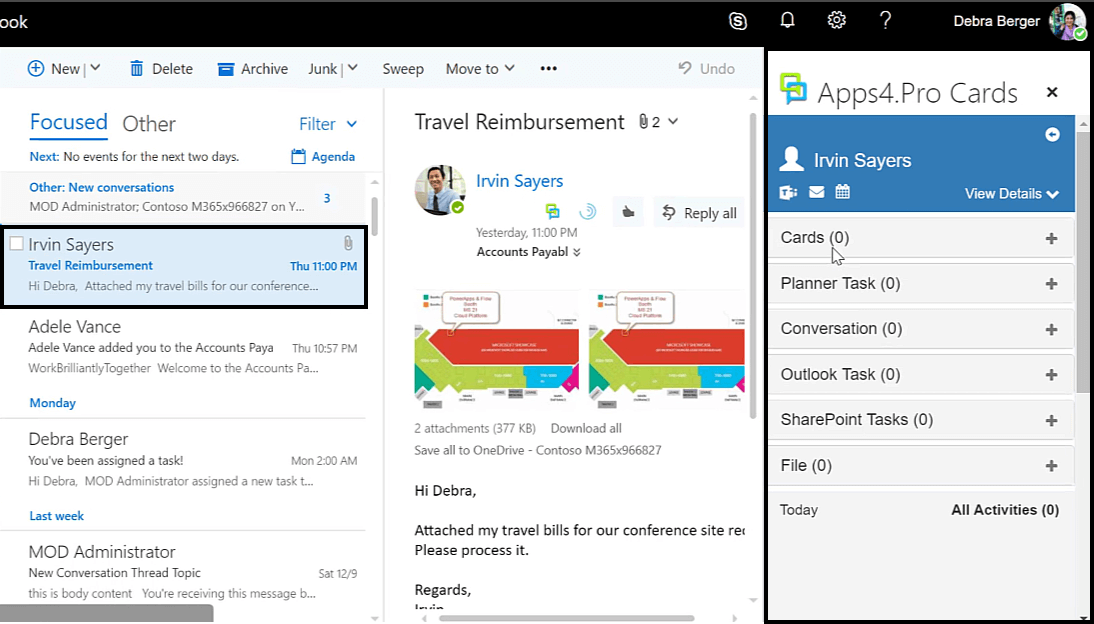
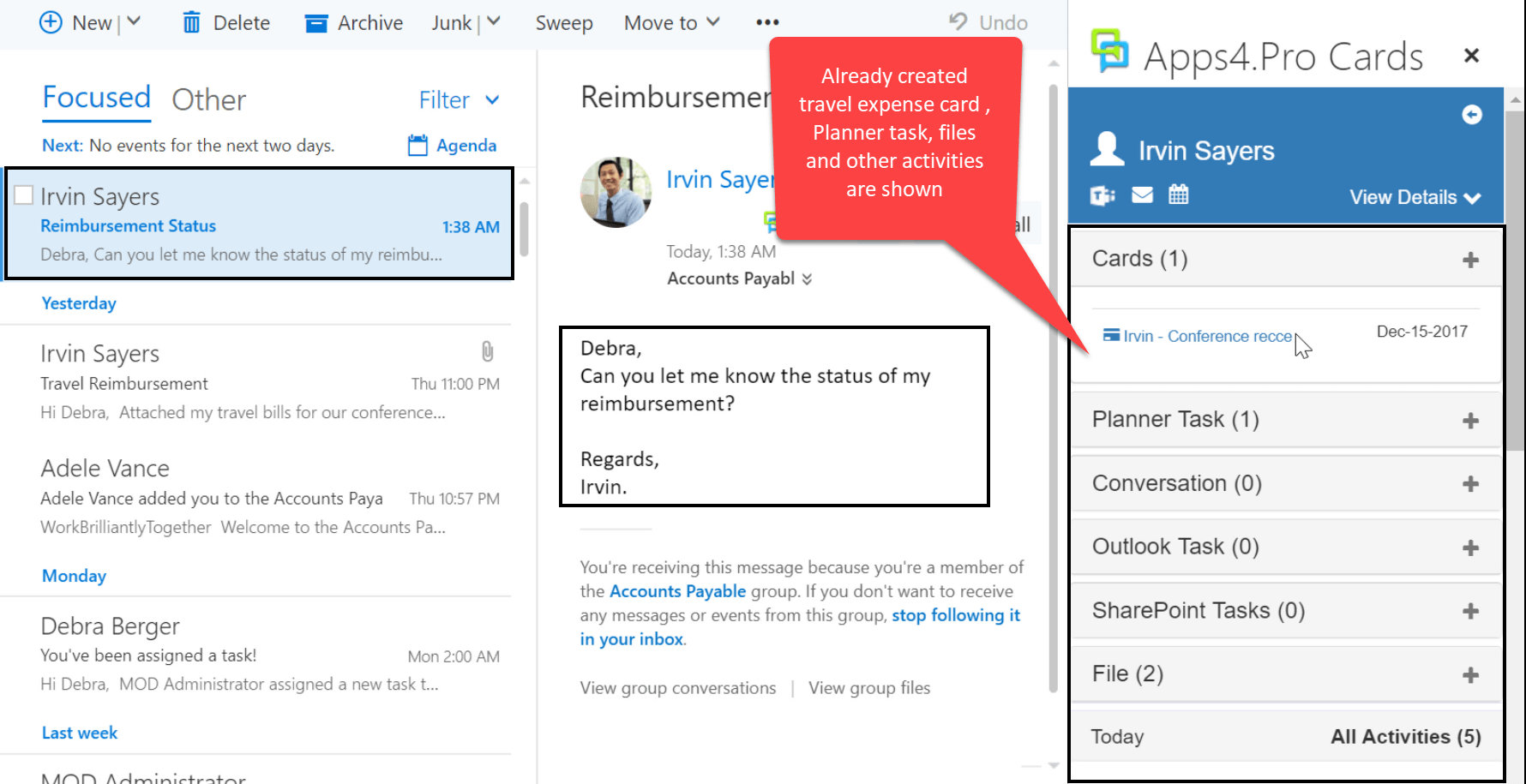
In the below sample, Irvin mails to account team to reimburse the
travel expense. And the accounts will organise each contact as cards and
will create a travel reimbursement card and links with Irvin’s contact
card.
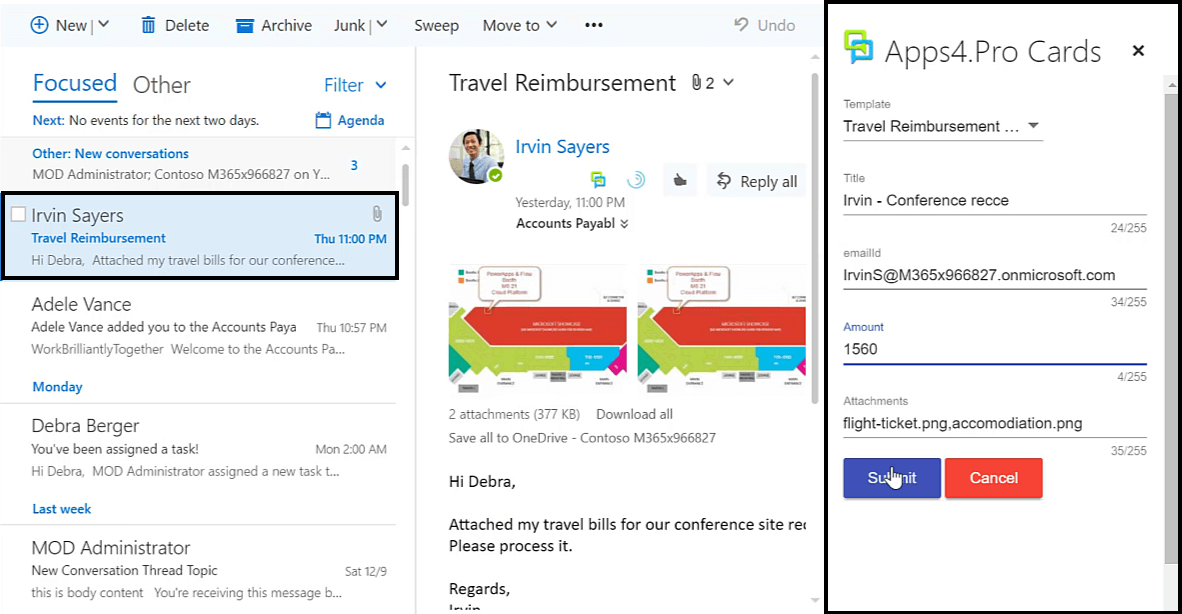
Here you can integrate the following with Apps4.Pro Cards.
- Outlook Tasks
- Calendar Event (Personal / Group)
- Files (OneDrive / SharePoint Online)
- Office 365 Groups Conversation – We can link conversations from any
Office 365 Groups - Planner Tasks
- SharePoint Tasks
- Teams
- Attach an Email
- Link another Office 365 Card
When the accounts team receives a new mail from Irvin, all the related
information comes handy.
With Apps4.Pro Cards, you can pass the information to another Office 365
Group where you are even not member of, for further processing.
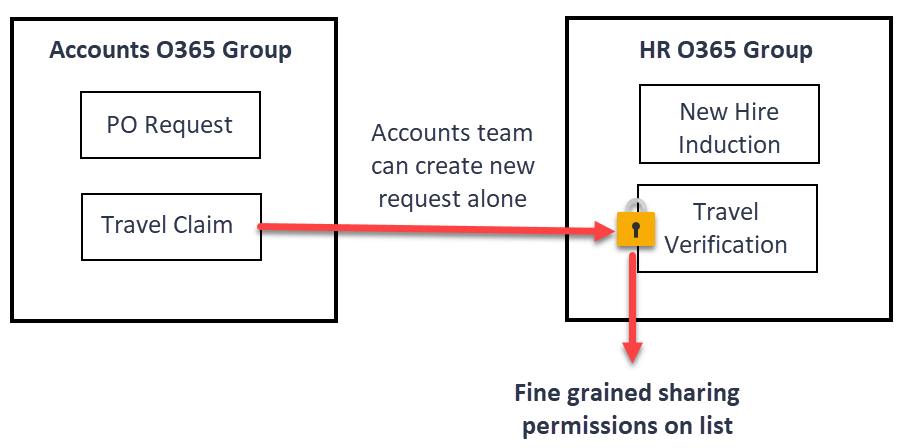
The list can be shared by providing fine grained permissions to manage
the card access, which provides an easy way to collaborate with other
Office 365 Group which we are not a member of. The sharing permissions
of list includes
- Create cards
- Edit/View/Delete/Comment on all cards
- Edit/View/Delete/Comment on his/her own cards
Excited!!!. Subscribe for preview by submitting your email in the below
form, we will contact you soon.
Loading…
















