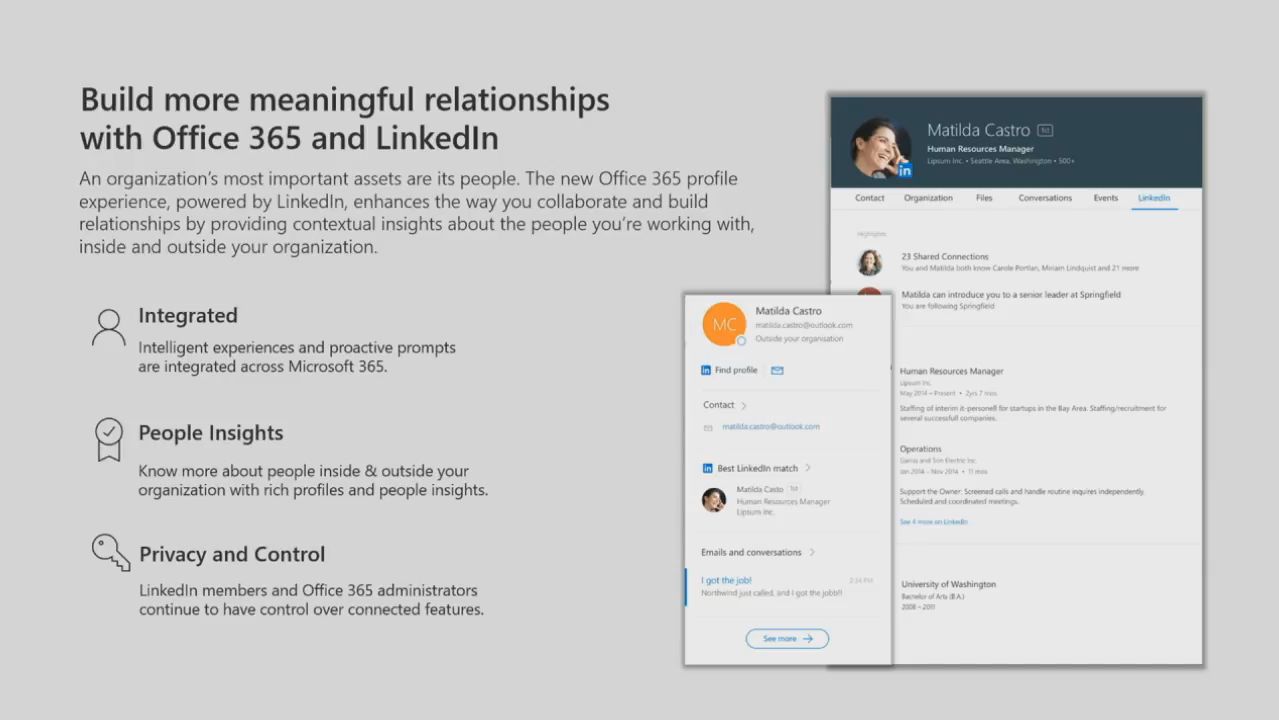
During Microsoft Ignite 2017, Microsoft made their first announcement of
integrating LinkedIn with Office 365 Profile Card. By integrating Office
365 with LinkedIn, Microsoft reduces the social and organizational
distances and enabling us to connect easily with more people and
increase our social circular. You can check this Microsoft Tech
Community
page for the Ignite announcement video.
Profile Card as of today
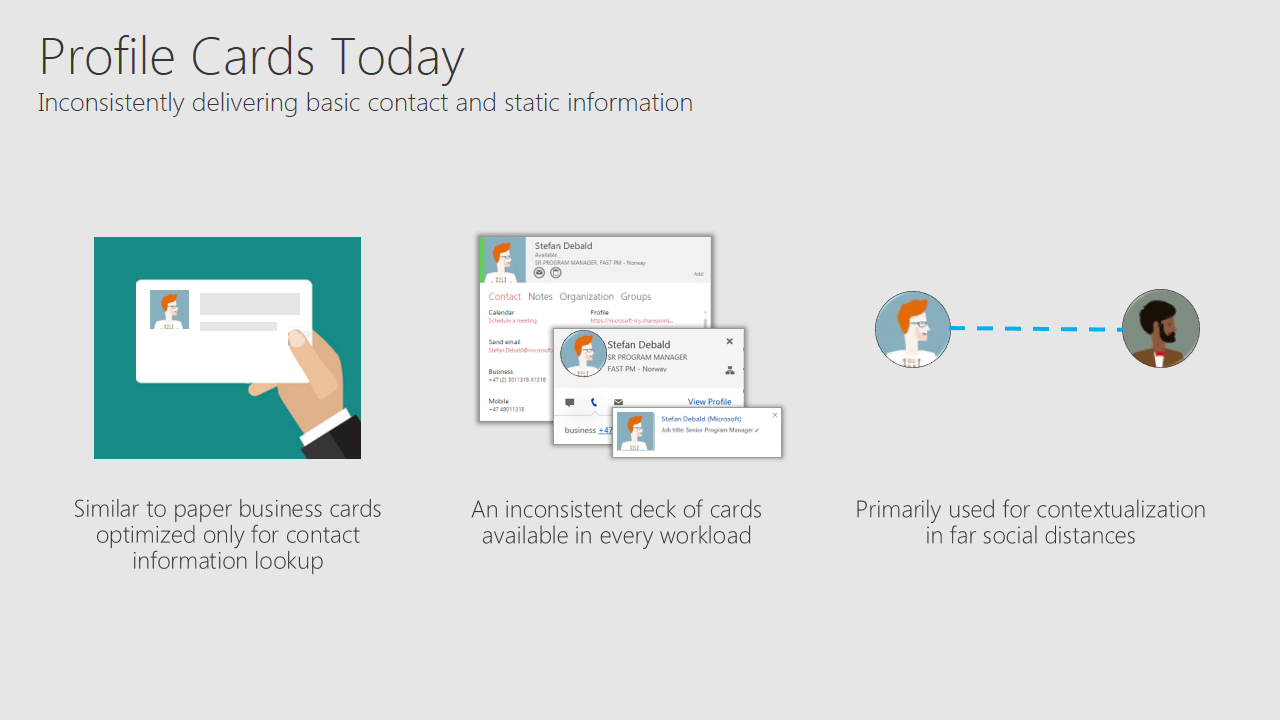
Our profile cards are something similar to business cards, holds just
basic and static information. By improving the profile cards, Microsoft
tries to reduce the far social distance.
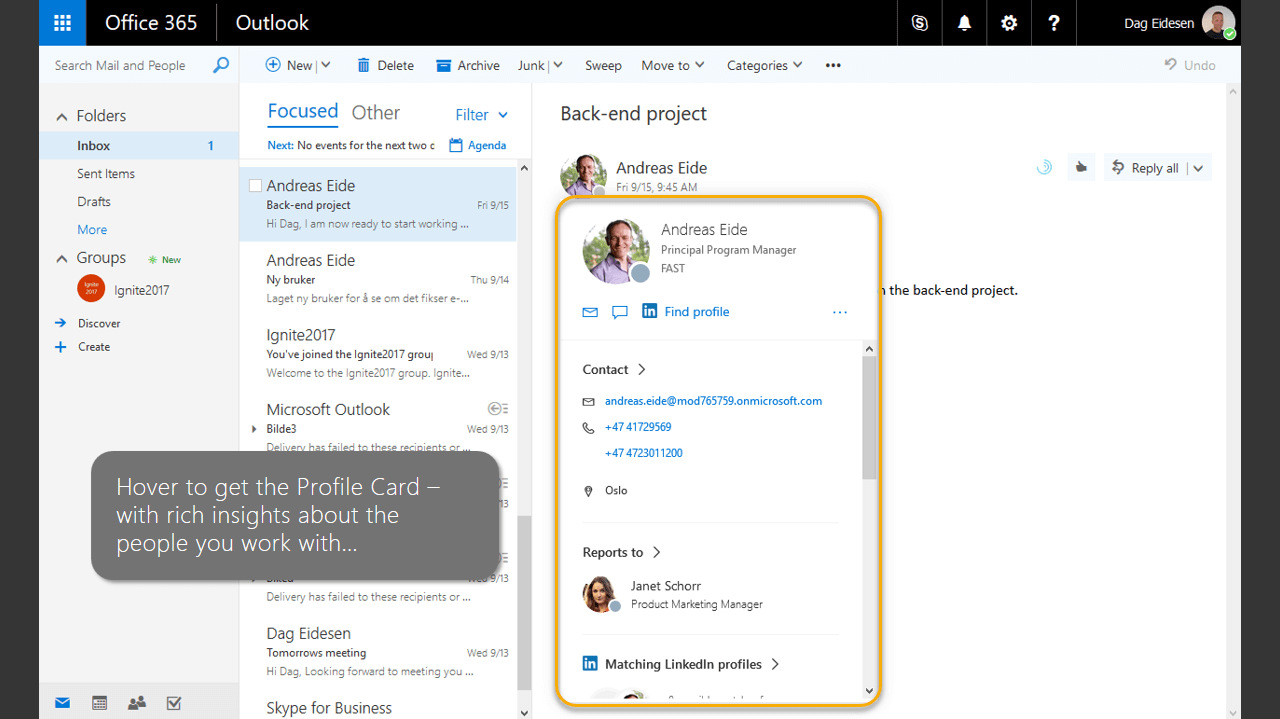
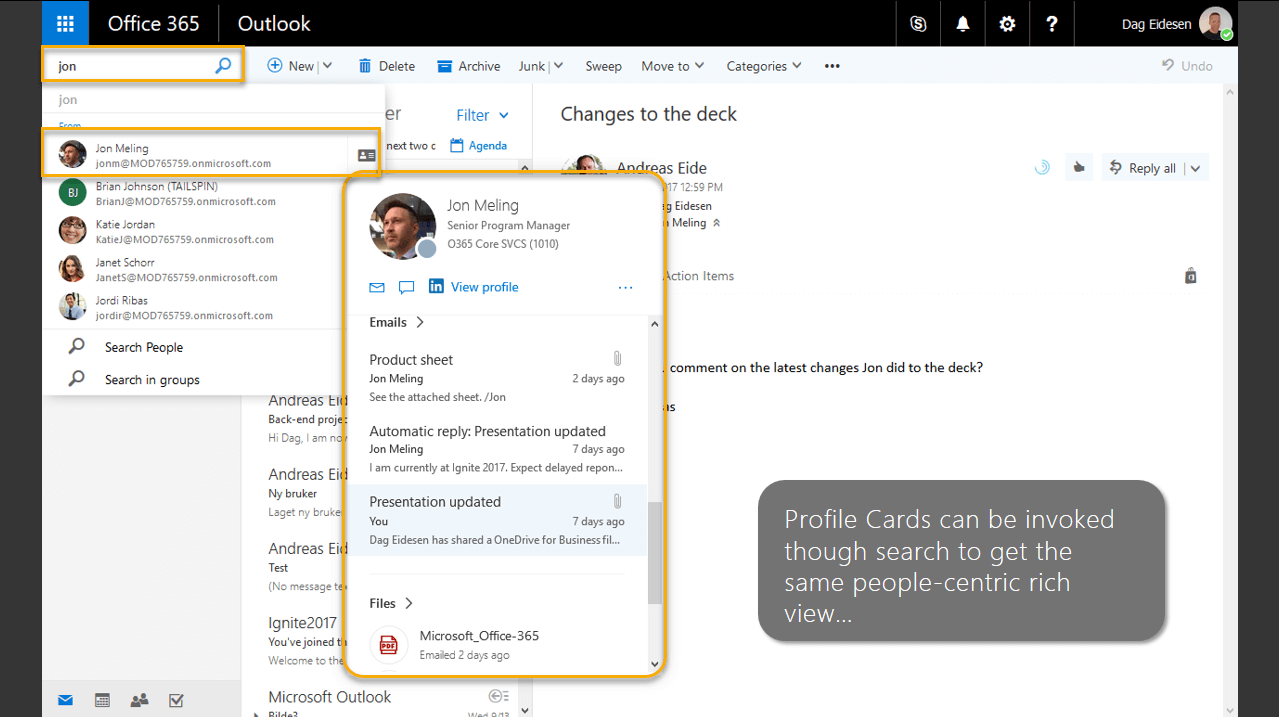
Profile Card with expanded view
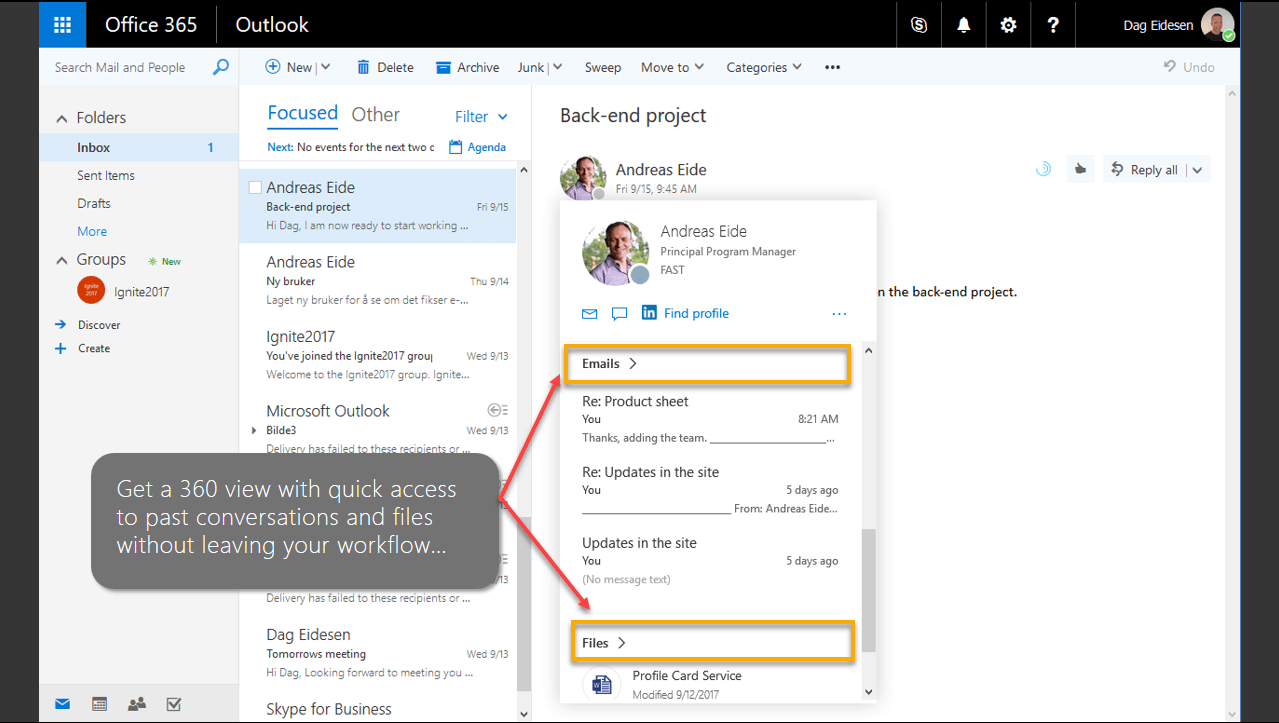
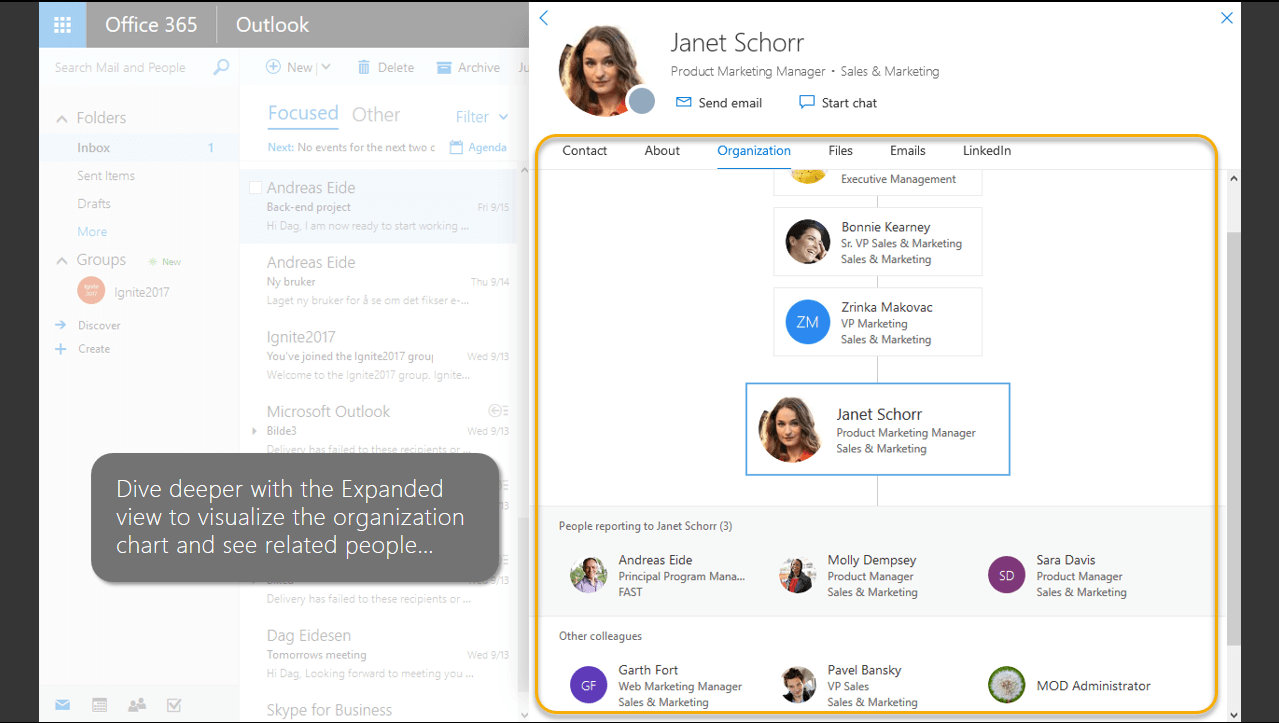
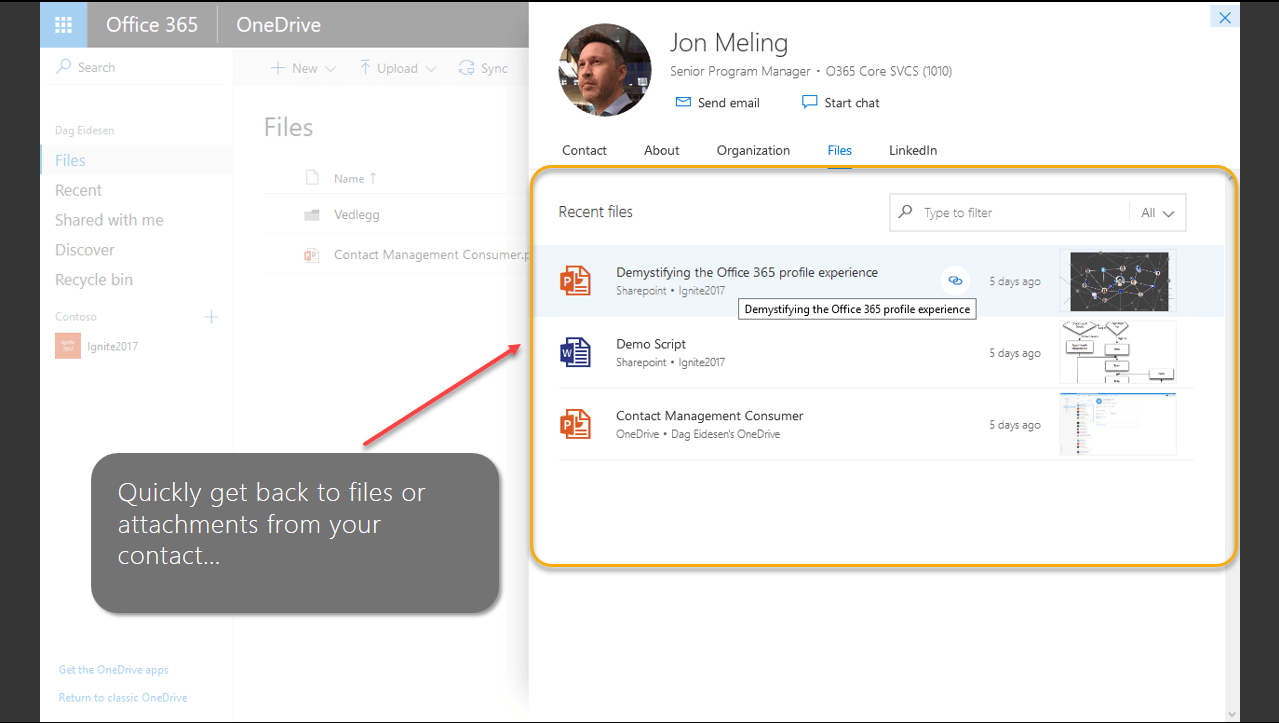
Using Profile card with expanded view you will get 360 degree of
connection with the person like
- Basic contact information
- Recent emails
- Files shared to you
- Organization chart
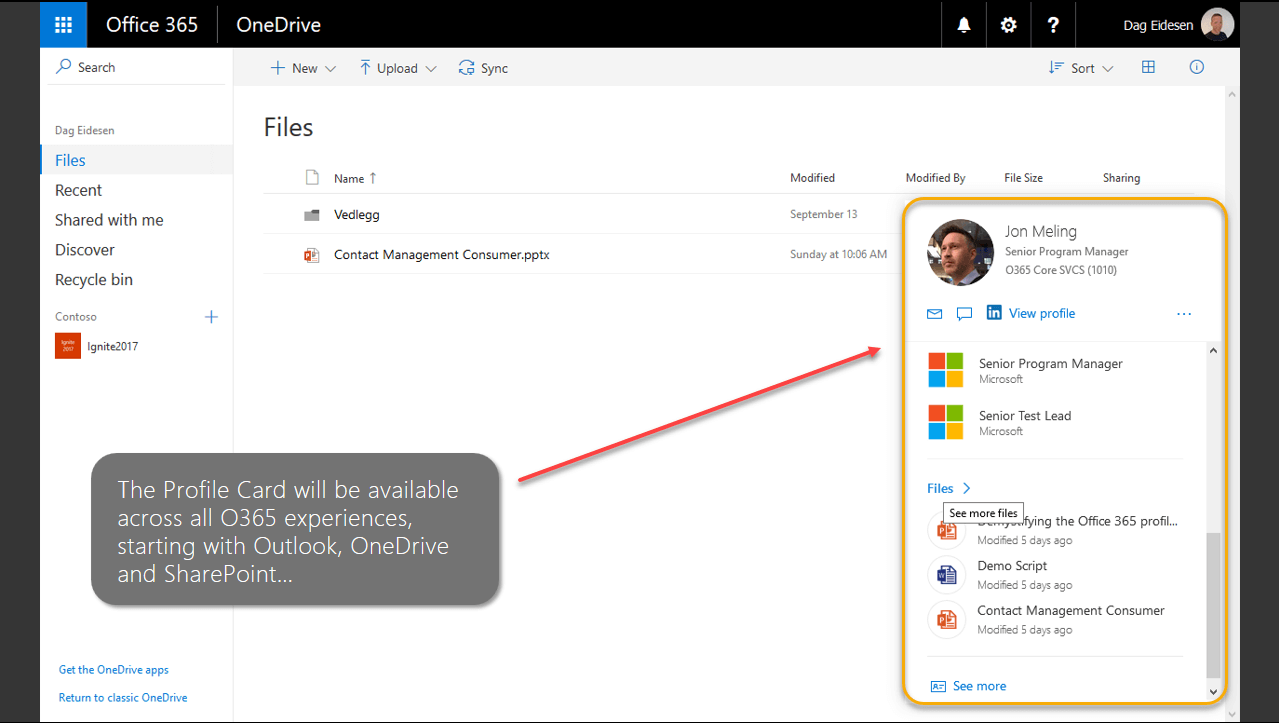
All these information are available in the profile card itself without
leaving your current workflow. And the same experience will be available
across all Office 365 workloads(Outlook, SharePoint, OneDrive).
Microsoft Graph and LinkedIn Graph Integration
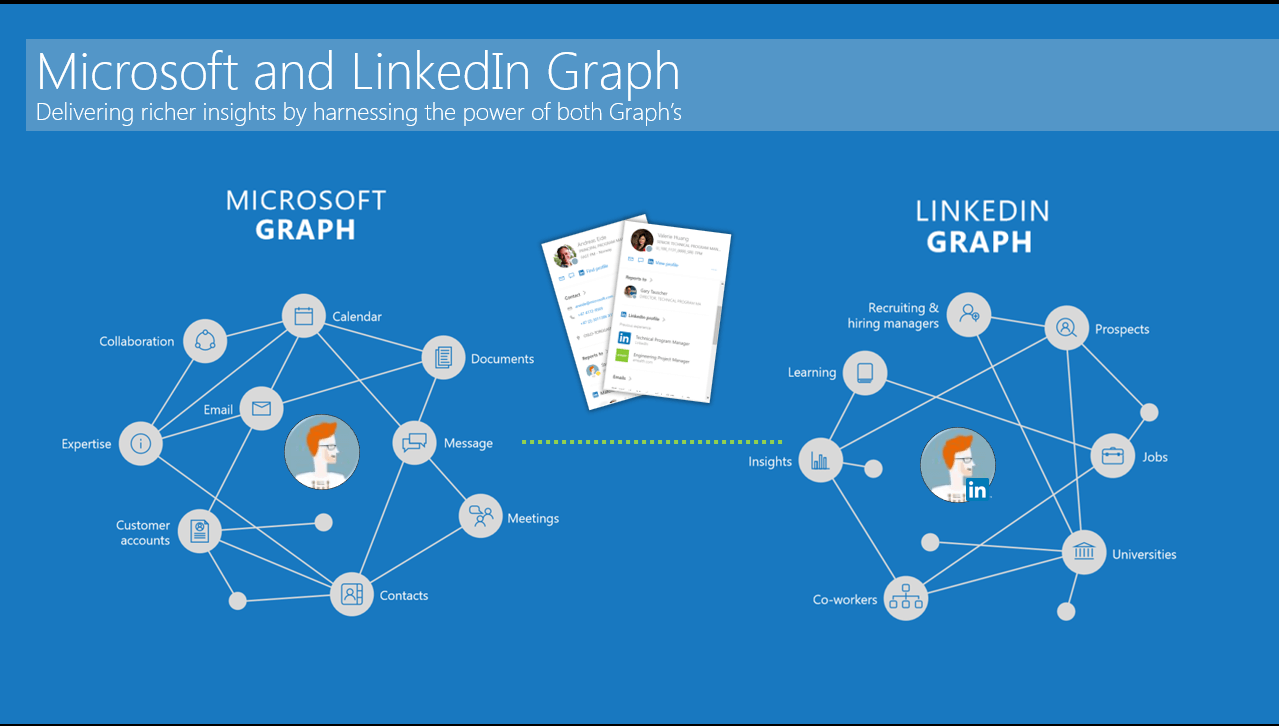
Microsoft Graph holds the richer insight of user’s organization based
Office 365 connection. LinkedIn connections are based on job, similar
thinking, university and school based connection. By integrating these
two, you can know more about the people you are connecting to.
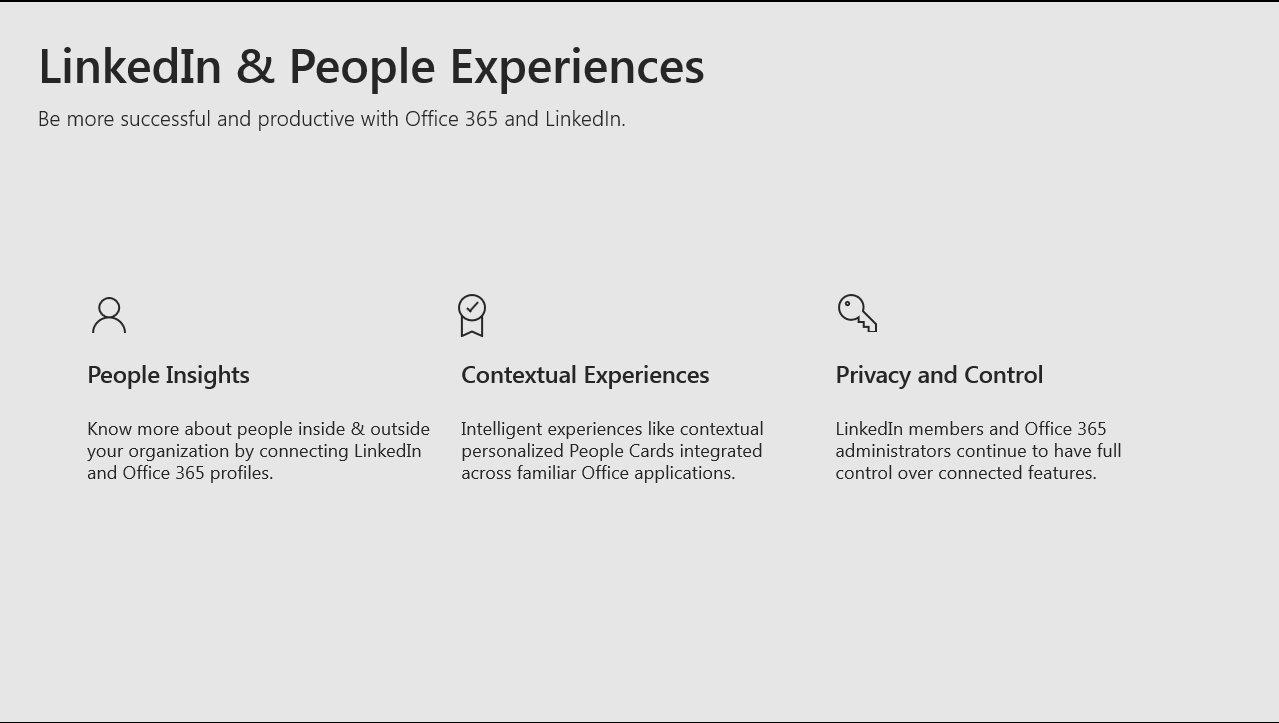
Initial focus of the this integration is to help you to get to know more
and grow your network.
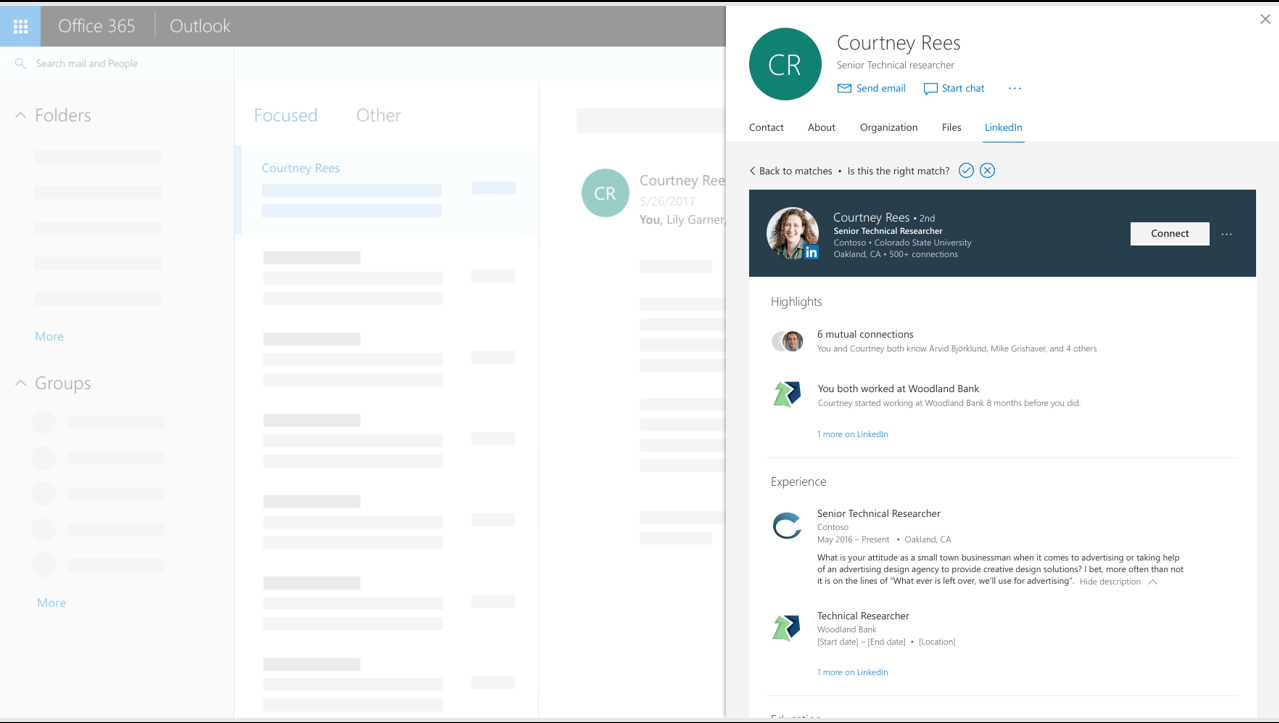
Whenever you hover, in the profile card, the best matched LinkedIn
profiles will be displayed.
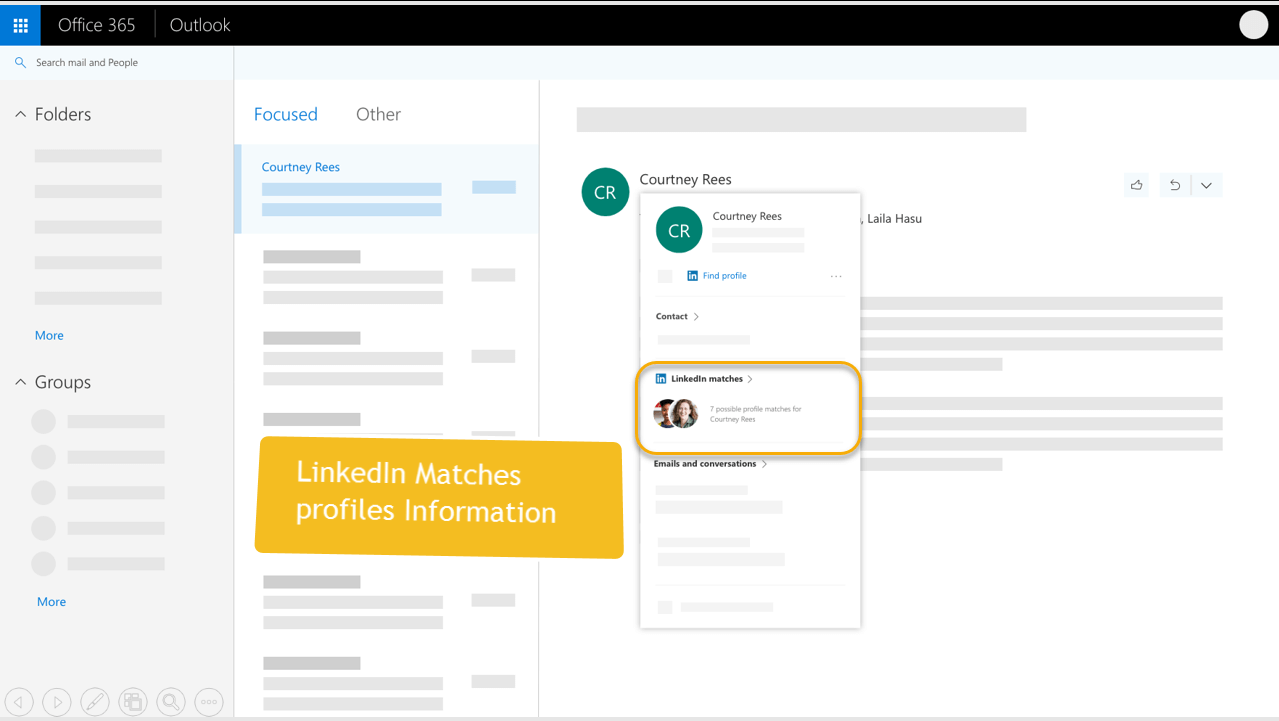
You need to choose the right match from the list of LinkedIn Profile.

Once you choose the match, you will be displayed with option to connect
with the person.
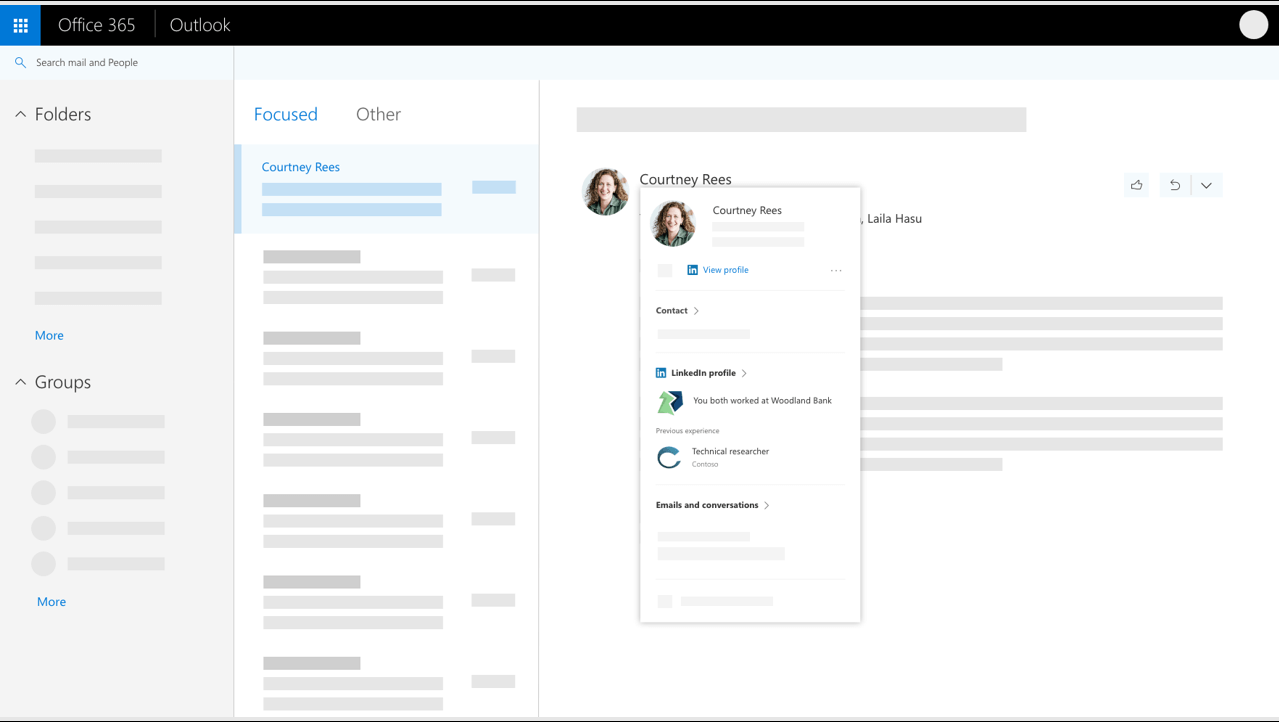
Once the connection is made, below updated profile card with LinkedIn
profile will be shown.
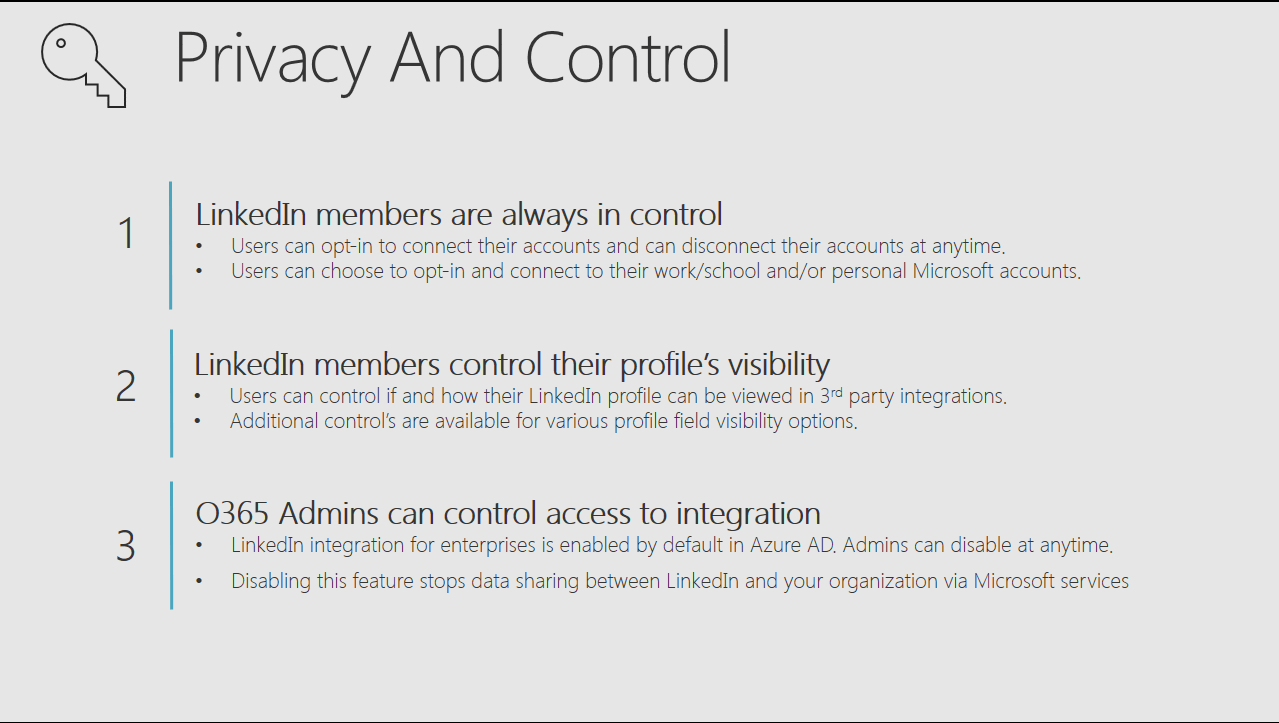
Privacy and Control
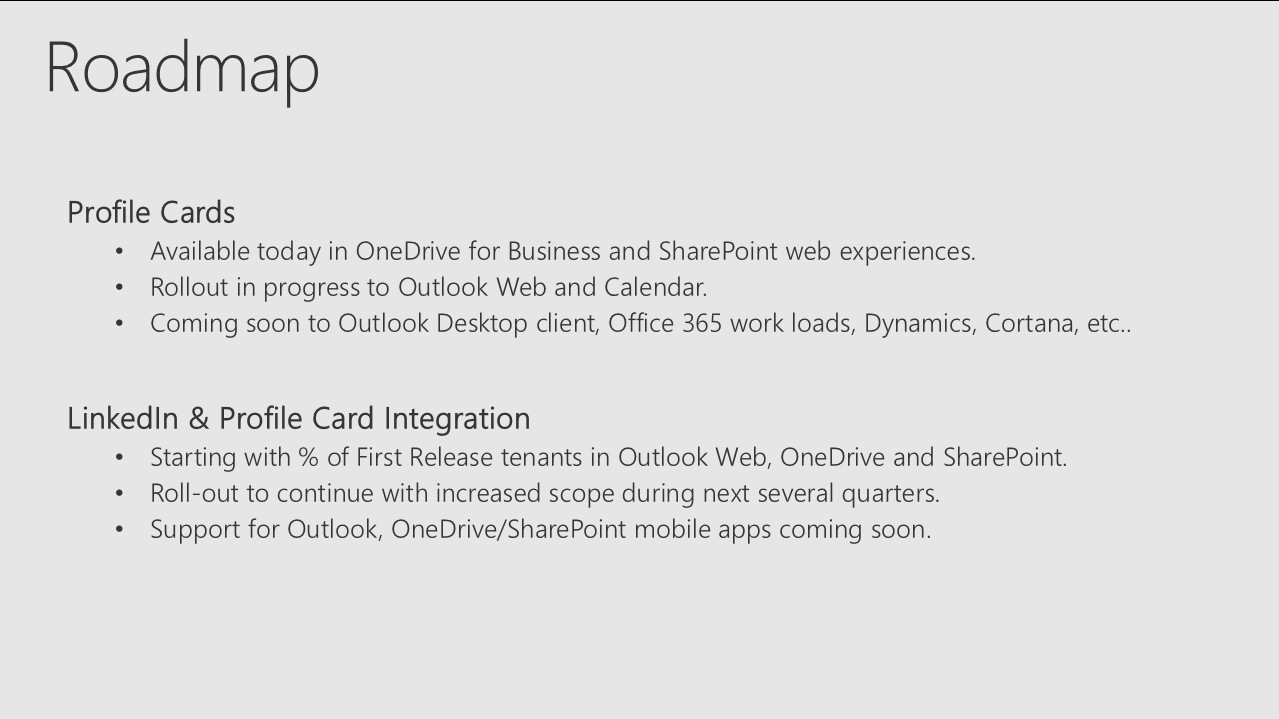
Roadmap
Summary