


In Office 365, People portal seems to be relatively less visited
when compared to other portals, this does not mean that People portal is
not useful, but other portals are more attractive in functionalities.
Therefore, to pump up the People portal, Microsoft has introduced a new
feature – Featured people, which is a simple yet effective
categorization for users to kick-start communication with their contacts
in no time. Moreover, it is designed with rich Delve functionalities for
displaying user information within People portal.
In this blog we will check out the user interface for the following
categories of Featured people,
- Frequently contacted
- On your calendar
- Favorites
- For follow-up
- Delve view for user information
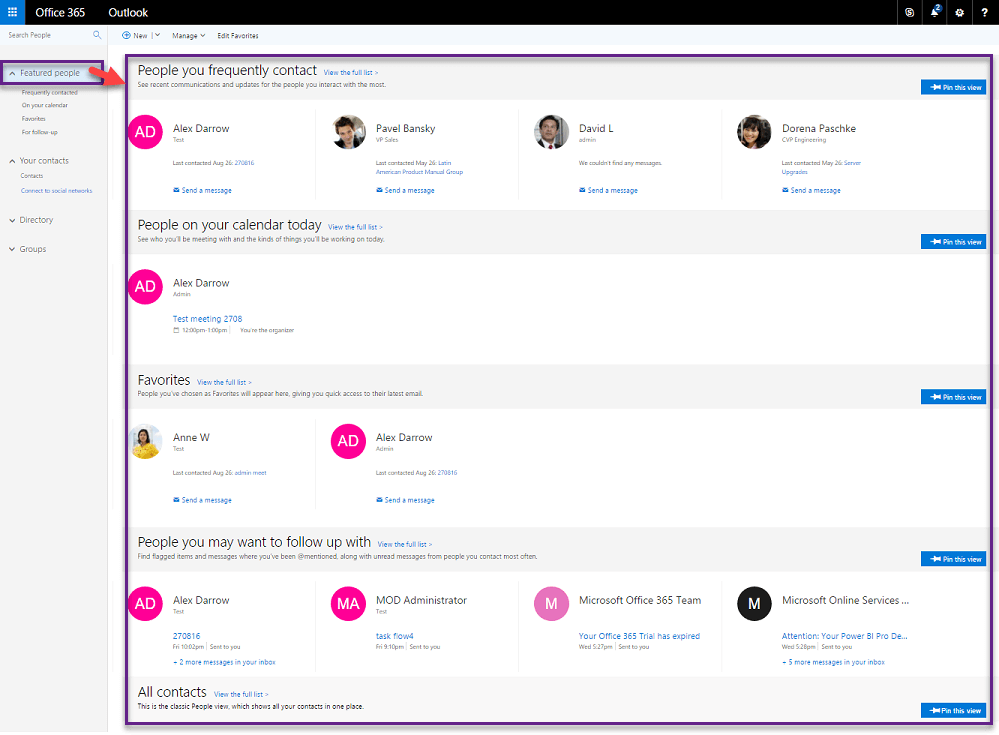
When Featured people menu is selected, it displays summary list of
people in each category
1. Frequently contacted
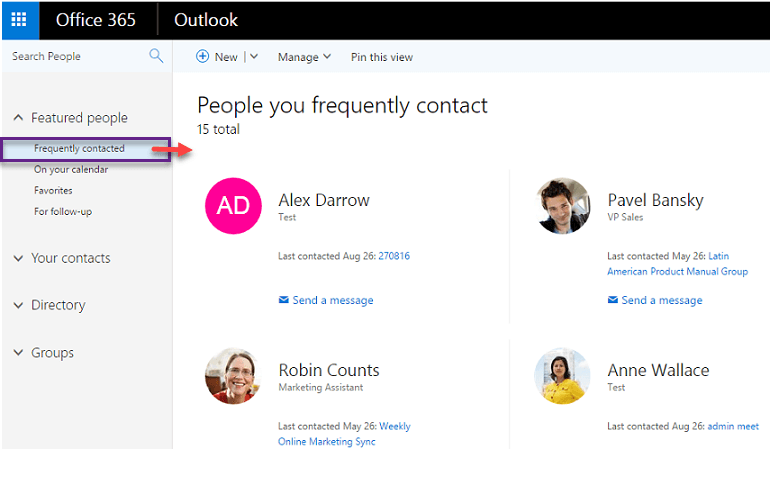
In the Frequently contacted section, you can view the users to whom
you often communicate. This option helps you to quickly find your active
contacts and send messages to them instantly.
2. On your calendar
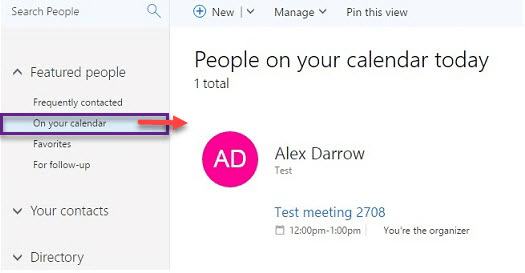
In the On your calendar section, you can view the people in your
current day’s calendar. This option helps you to find the people with
whom you have scheduled meetings for a given day and help you plan your
tasks.
3. Favorites
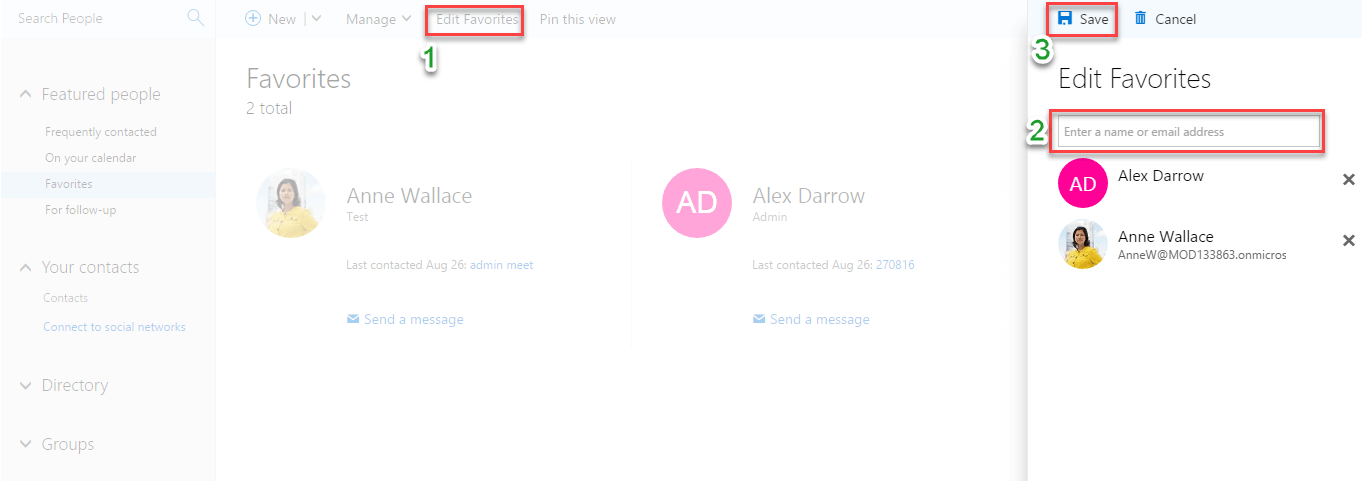
In the Favorites section, you can view the people, whom you have
added to your favorites list and you can send them messages instantly.
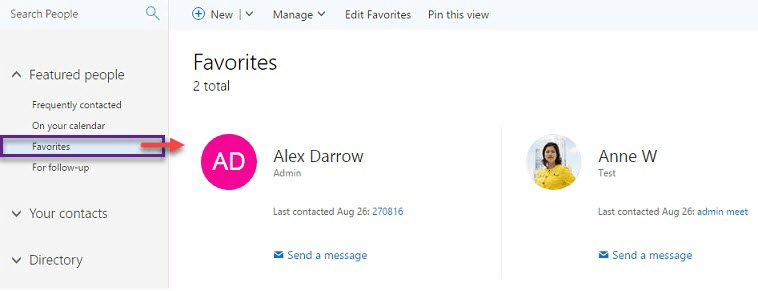
Moreover, using Edit Favorites option you can customize your list of
people in Favorites section.
4. For Follow-up
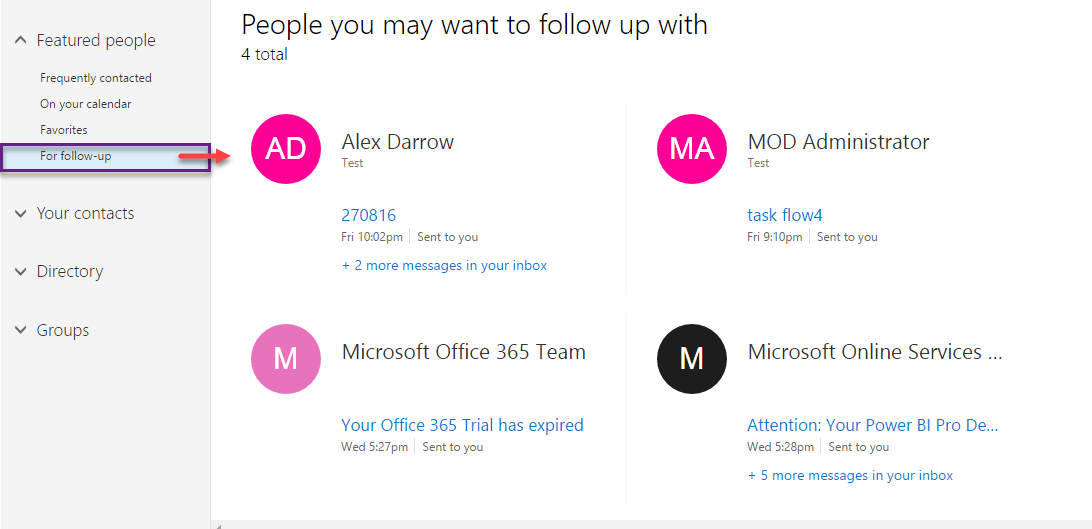
In the For follow-up section, you can view the people, who have sent
you messages and people with whom you have meetings on a given day. This
feature helps you to quickly reply to your contacts and avoids missing
of critical messages. It also helps you to keep up with your
appointments.
5. Delve view for user information
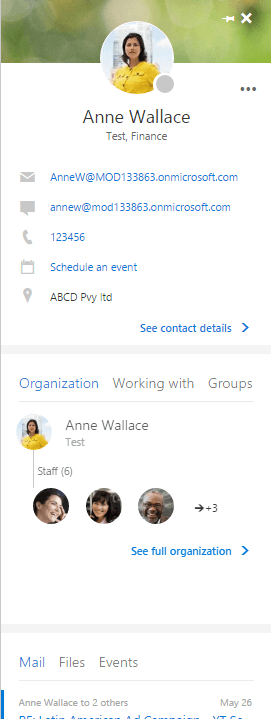
When you select a user in any category in People portal, the user
information will be displayed in rich Delve view within the People
portal with abundant user information such as their organization
hierarchy, co-workers list, groups to which they belong, emails, files,
events etc.
















