


Tasks arise out of conversations. So you need an easy way to create a
task in Microsoft Planner from Teams conversation. Here is the tricky
part! Right now, there is no direct way to create a planner task from
Teams conversation. But we have made it possible using Wunder365 for
Teams app.
Wunder365 for Teams is available in the Microsoft Teams Apps store. You
can add it from the store to any of your Teams channel and start
creating Planner tasks from teams. The best part of this app is, it
links the Planner task with your Teams conversation. So you can easily
navigate to the Planner task from the Teams conversation and Vice Versa.
Now let’s jump in and see how it works.
It works in just two simple steps.
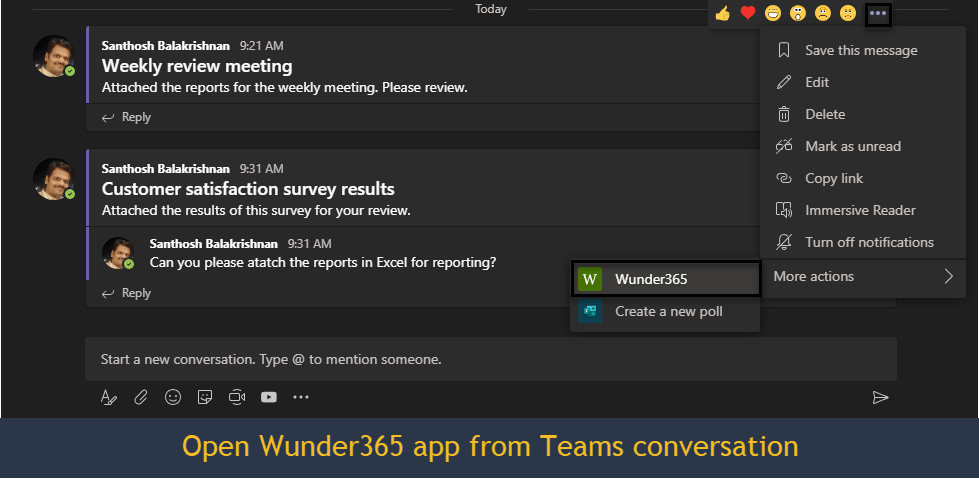
Step 1 – Select the conversation in Teams for which you need to create Planner task
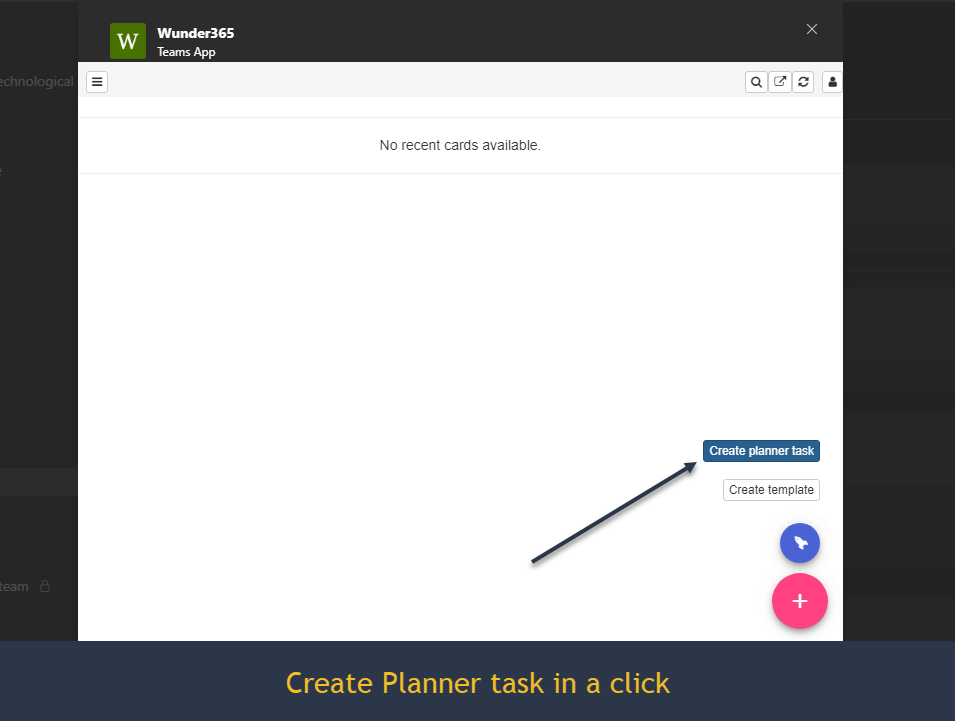
Step 2 – Click on the create Planner task button. That’s it. The task is created in the Planner, and the link to the task is made available for reference.
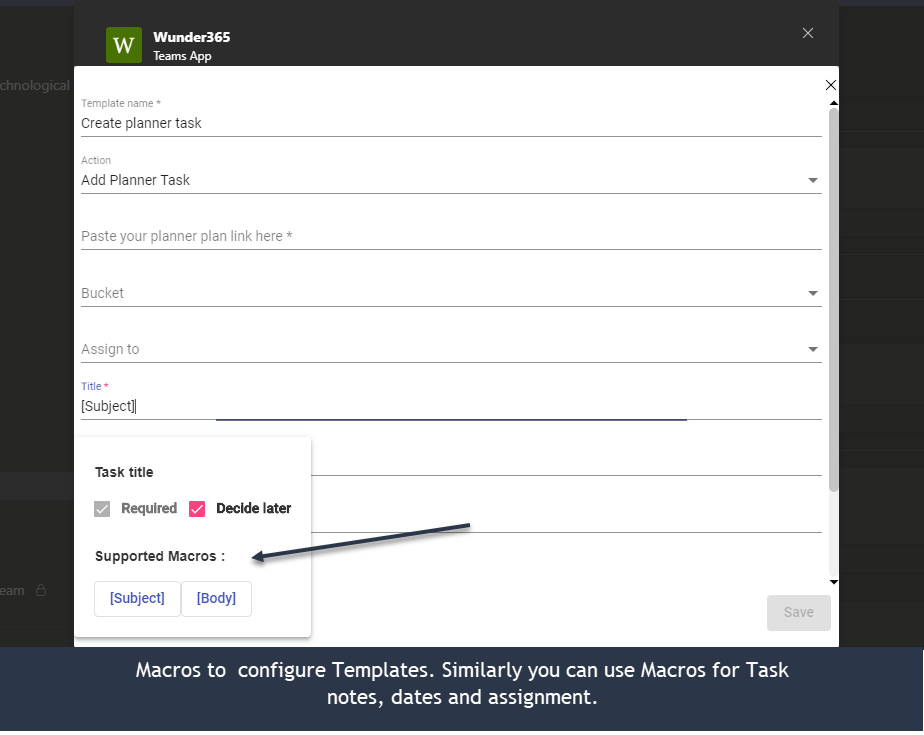
The best part is, you can configure the fields in Planner tasks such as
Task title, Notes, Start/Due date, Assignment, and Priority for repeated
tasks as Template using built-in Macros, so you don’t need to enter the
values again and again. What’s more, are you required to simplify this
process? Try this app and let us know. We will make it available for
you.
This app is available for 30 days free trial from Teams app store –
https://appsource.microsoft.com/en-us/product/office/WA200000742
Please write to us at below email address for questions.
sales@jijitechnologies.com
support@jijitechnologies.com
















