

Microsoft recently announced Sharepoint Hub Site has been rolled out to
Target Release Office 365 Tenants. SharePoint Hub Site is the
alternative solution to SharePoint Subsite. In this blog we are going to
explain about creating SharePoint hub site and to join the associated
site into hub site.
How to create SharePoint hub site
Currently you can create hub site through PowerShell alone. You can
convert existing communication site or team modern site to hub site.
Microsoft recommends selecting an existing communication site.
Before starting, download and install SharePoint Online Management
Shell from
here .
Then execute the script in PowerShell by connecting to SharePoint Online
as SharePoint administrator or above to create SharePoint hub site.
Register-SPOHubSite -Site https://.sharepoint.com/sites/testsite1-Site: Existing team site or communication site URL
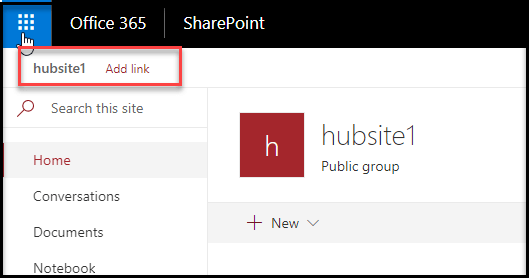
After creating new hub site, Add link option will be enabled in the left
corner of site, using this option you can create new link for existing
sites (associated site).
How to join existing site to SharePoint hub site
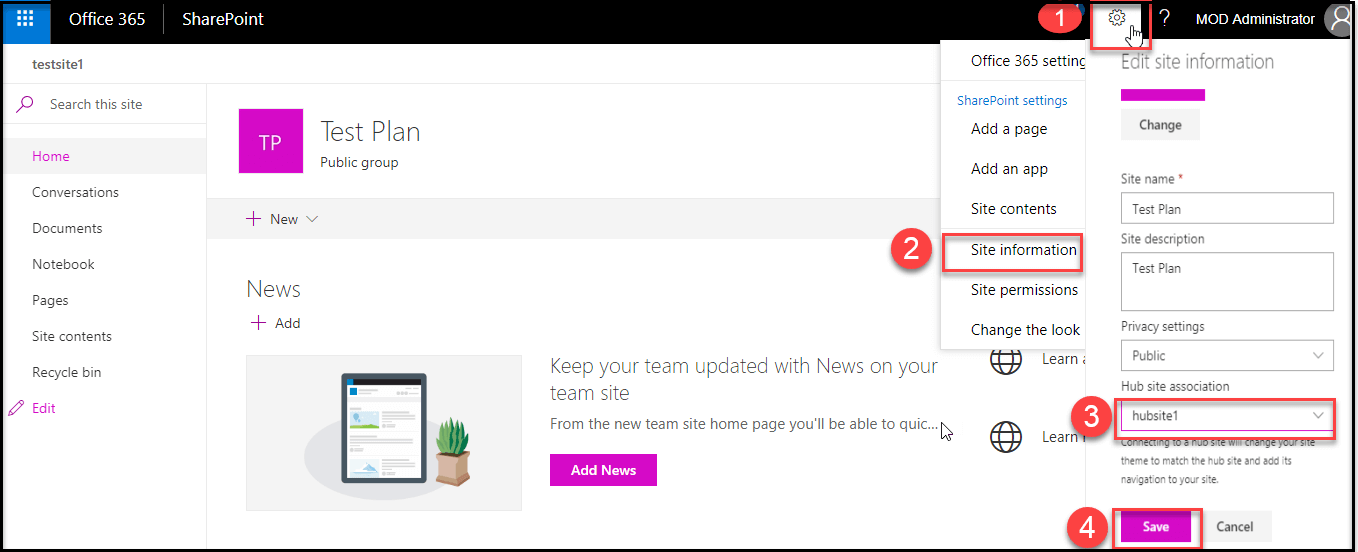
Please follow the numerical points as shown in the below screenshot to
join existing site to SharePoint hub site from Site Information
Settings.
You can join the existing site to hub site using SharePoint PowerShell.
Add-SPOHubSiteAssociation
-Site https://.sharepoint.com/sites/assohubsite
-HubSite https://.sharepoint.com/sites/hubsite1-Site:Team Site or Communication Site URL to join into a hub
site
-HubSite:Existing hub site URL
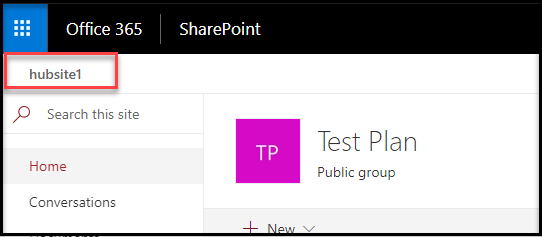
Once a site joins to a hub site, hub site theme will be applied into
joined site and hub site link option will be enabled in the left corner
of site, so that you can navigate to hub site.
How to revert the SharePoint hub site to normal site
You can revert hub site to team site or communication site using
SharePoint PowerShell command.
Unregister-SPOHubSite
–Identity https://.sharepoint.com/sites/testsite1-Identity:Site URL of a hub site
Please refer the below links for more details about SharePoint Online
hub site.
















