It seems Microsoft pushing the features in Microsoft Teams every week.
Below are new features released in February 2018.
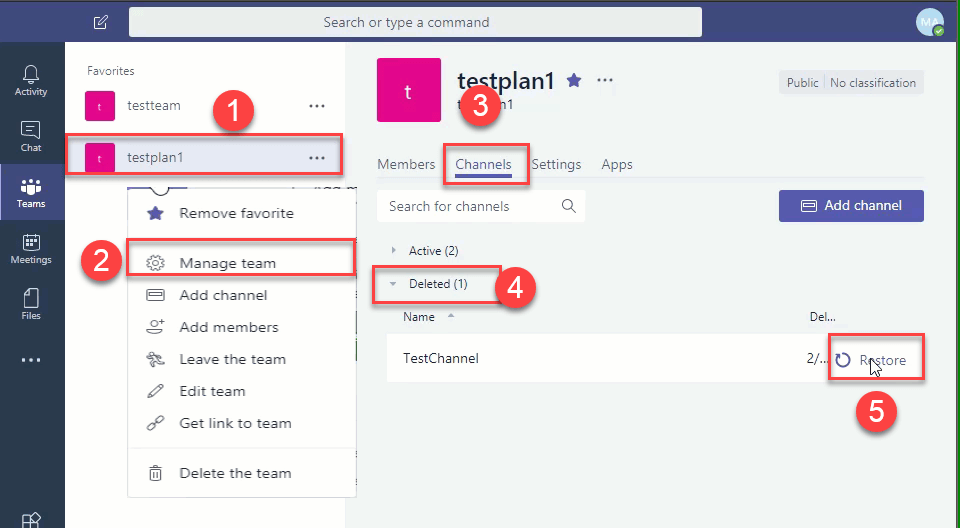
- Restore deleted Team Channel
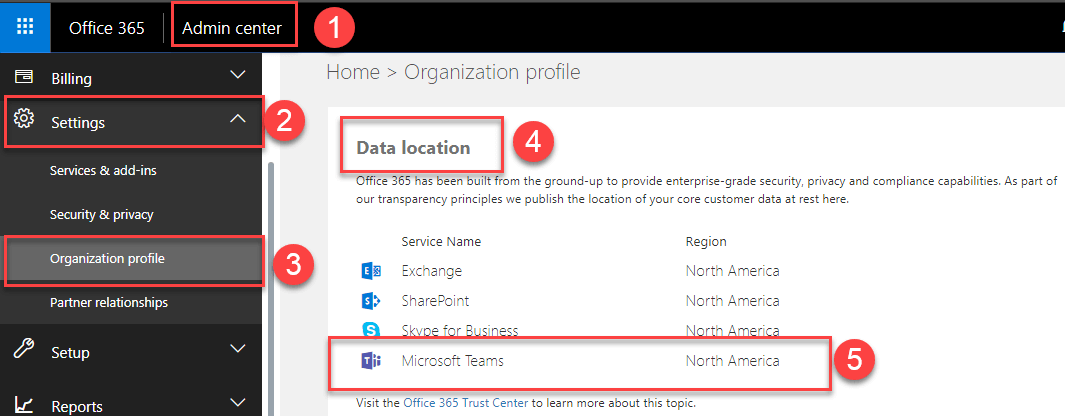
- Location of Teams data in Admin Centre
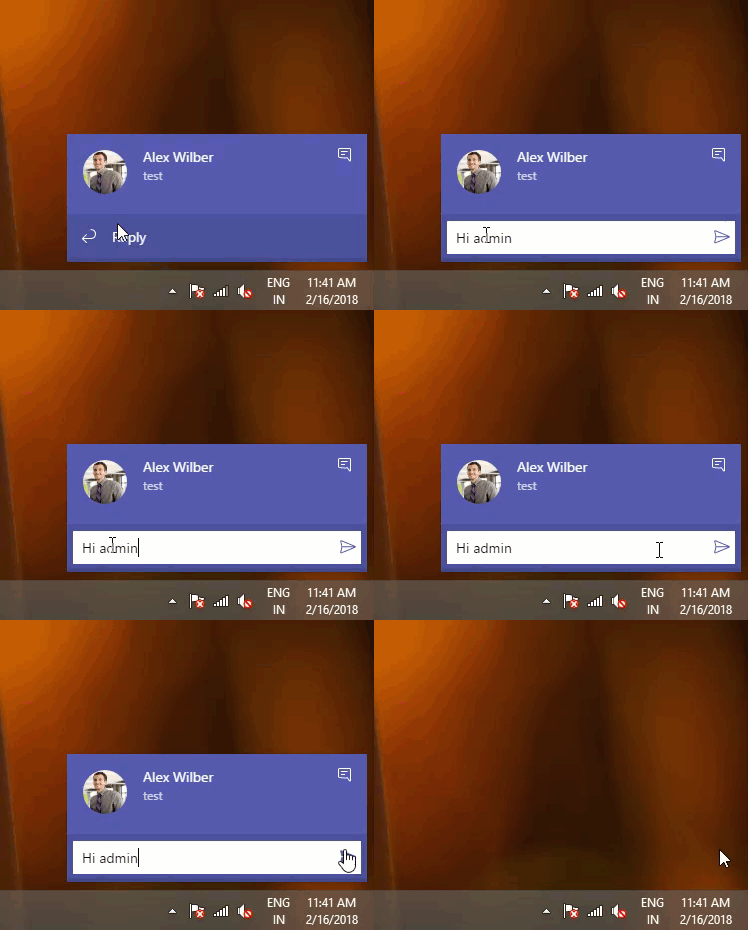
- Reply to chat message directly from toast notification
- Share chat history
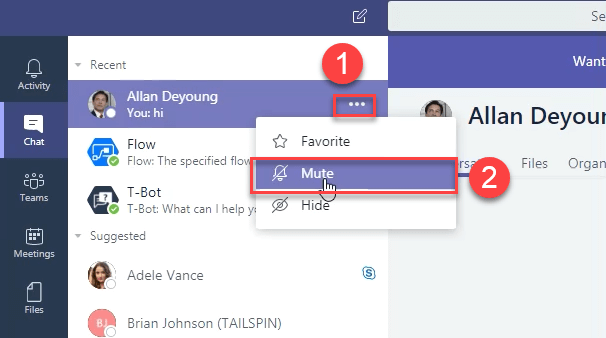
- Mute chat
Restore deleted Team Channel
You can restore deleted Team Channel from settings UI itself. You can
restore upto 21 days after it is deleted.
Location of Teams data in Admin Centre
Microsoft Teams data location is now available in Admin Centre.
Reply to chat message directly
You can reply to chat messages directly from toast notification.
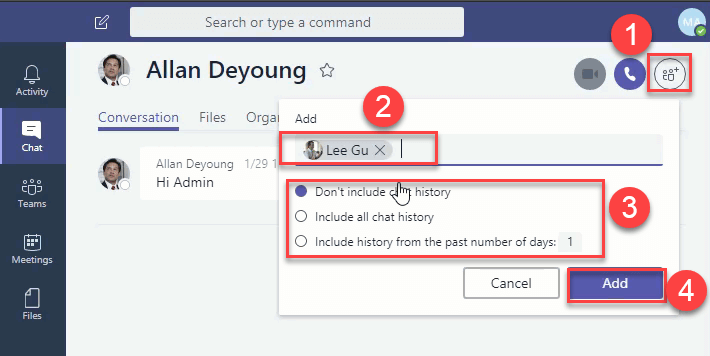
Share chat history
You can share chat history when you add somebody to a chat. This option
is not available in 1:1 chat.
Mute chat
When you mute chat, the notifications are not shown, but still you
receive new messages. Only the alerts/notifications not shown.