

We are happy to share that Microsoft Teams reached its General
Availability today. Starting today most of the users, could see the
updated Teams client.
Since the announcement of Microsoft Teams preview, it gains lot of
momentum among the organizations. More than 50000 organizations are
trying Teams, not just trying they are actively using. Within most
active organizations the number of people using Teams is growing 30%
every month. While the messaging usage grows 60%, which the great
indicator of the team collaboration.
This blog glimpses you the new features available in Teams GA.
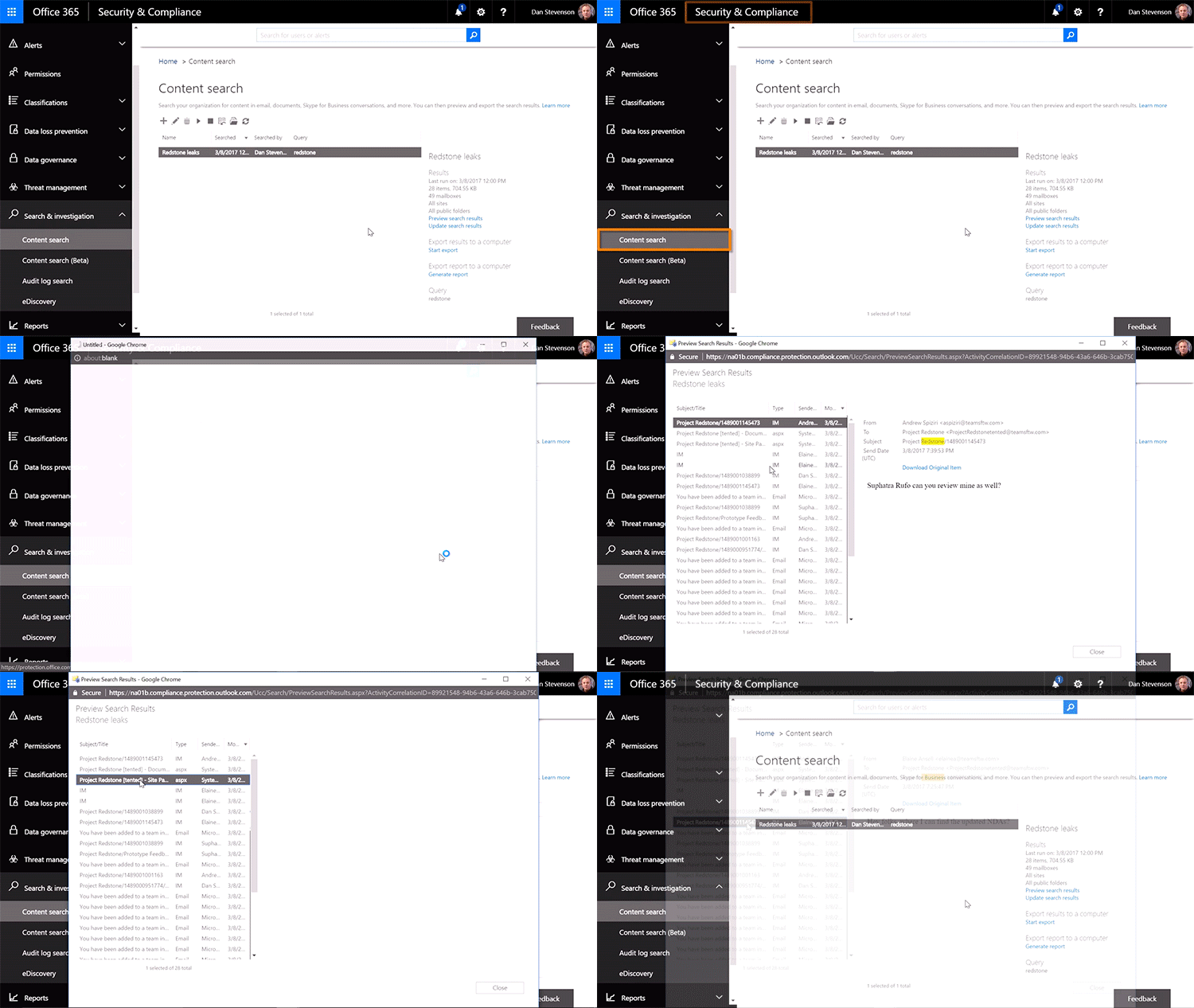
Security
Microsoft added support for audit log search, eDiscovery and legal hold
for channels, chats and files as well as mobile management with
Microsoft Intune.
Microsoft Teams is a great product which comes with Built-in
information protection, Intune integration and accessibility and with
complete set of admin controls during its GA itself. Some of the
organizations hesitated to adopt Teams due to the compliance and
information protection and one of the questions raised often, with this
GA they can move forward.
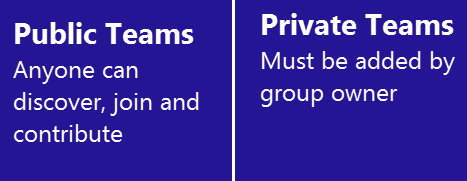
Public Teams
During the preview, Teams can be created with private Office 365 Groups
alone. In GA, Teams support Public Teams.
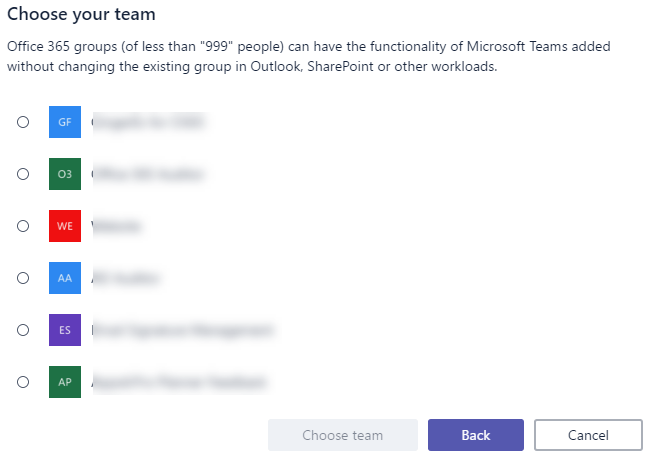
When you click Add Team, Public Teams are suggested to join using Delve
based on activity with other members.
Large Teams
During the preview, Teams team can support members up to 250. Now this
limit is raised to 999.
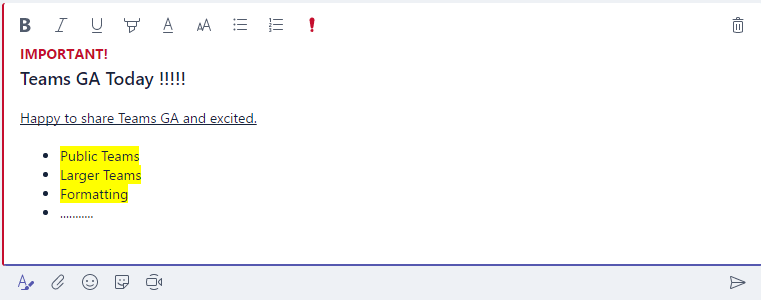
Formatting options in chat
Nice rich text editor for chat is available now.
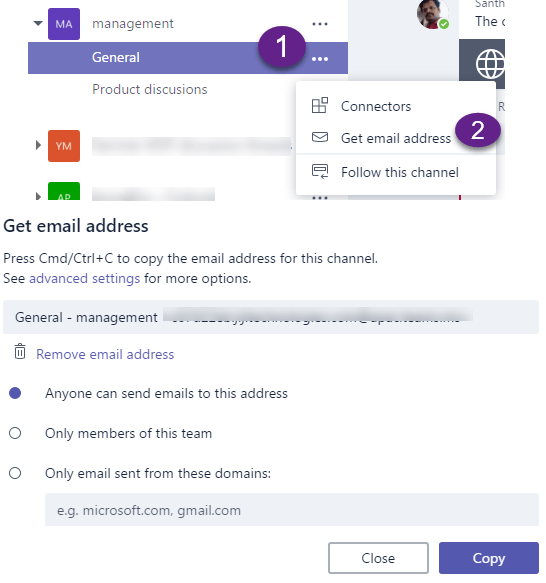
Email to team channel
Now you can email to the team channels. But the replies are visible in
Teams alone and not send as email.
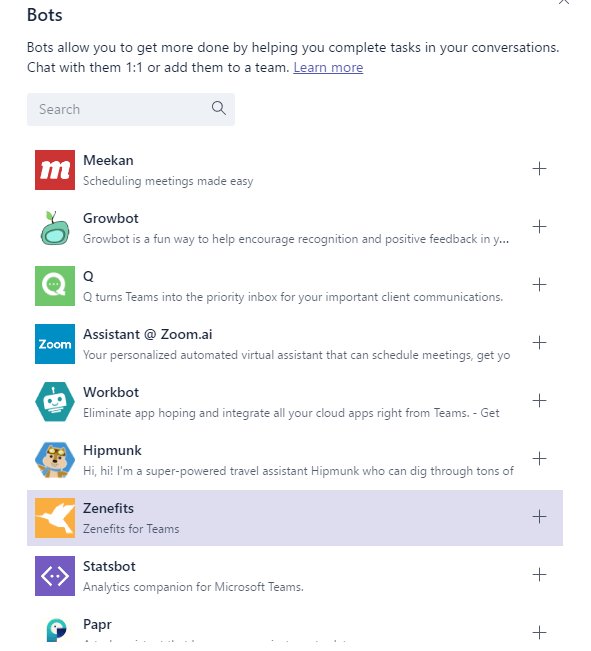
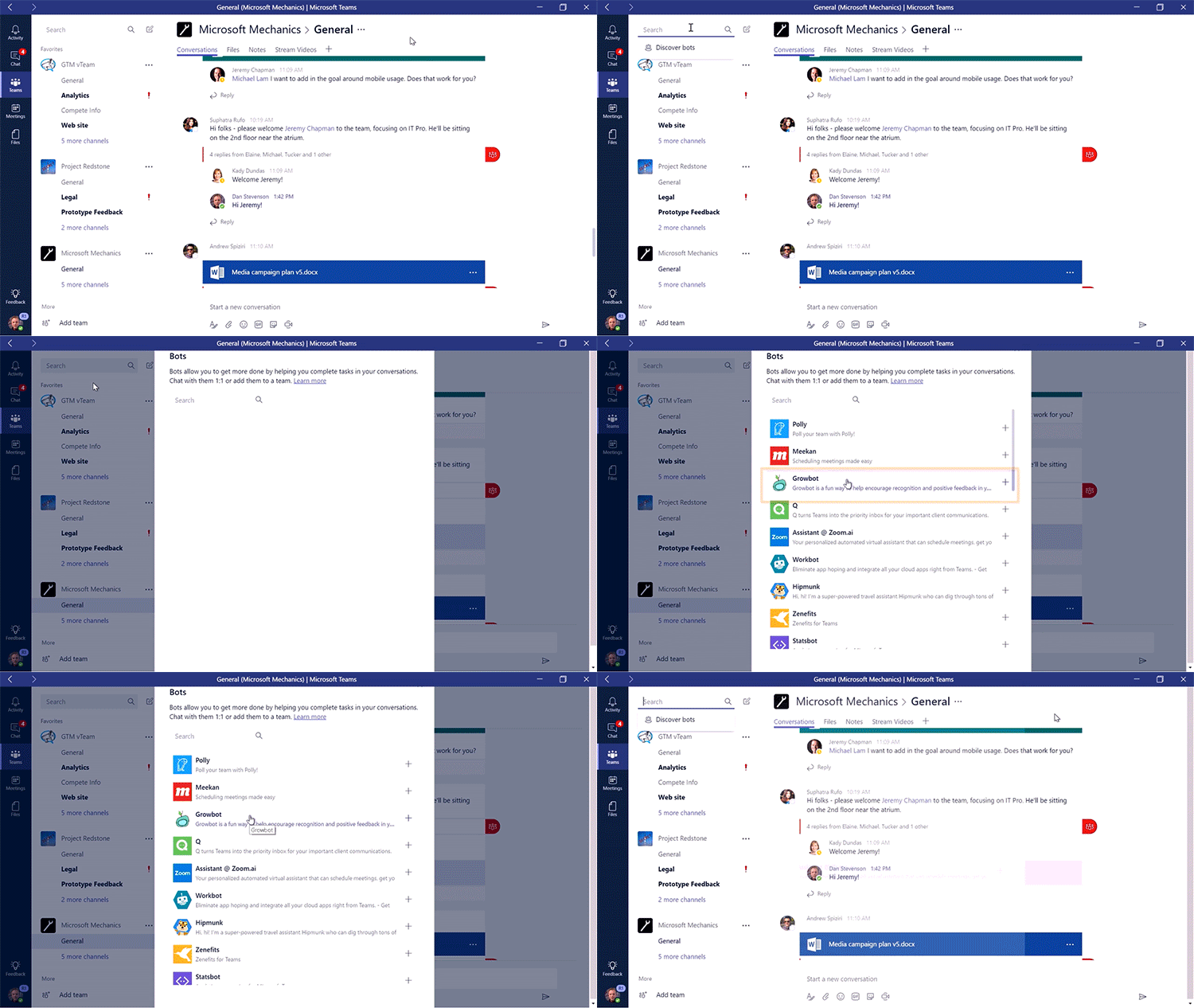
Bots
Now a long list of Bots are available and Microsoft plans for around 150
Bots. And the another news is that Bots can be added to channels as
tabs. Microsoft partnered with SAP and Trello to provide integration. So
you can expect the popular integration soon to be available in Teams.
Notes – Interesting addition in Tabs
Notes – A new addition, mix of OneNote and white board functionality
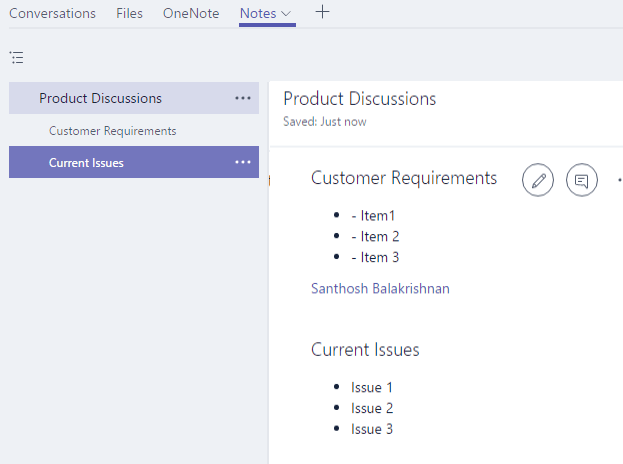
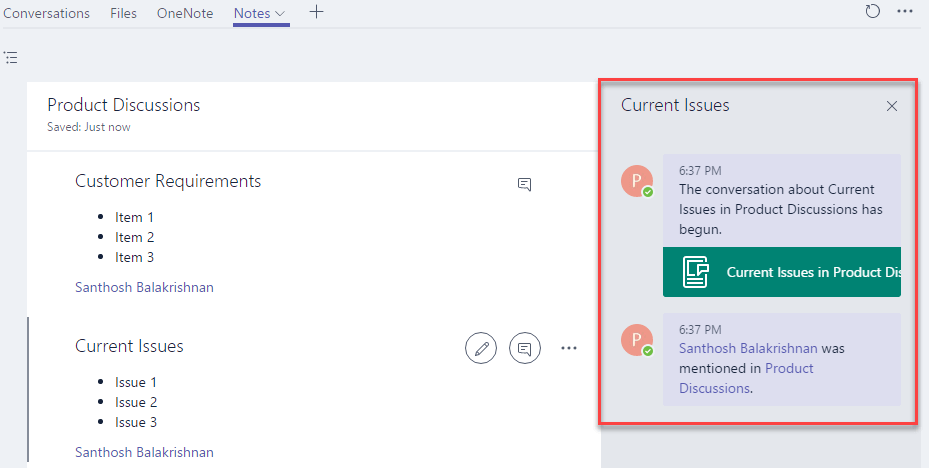
You can start a chat on a section, mention users using @. So following
two ways of collaboration are possible.
1. Add a section in Notes and start the chat on a specific section.
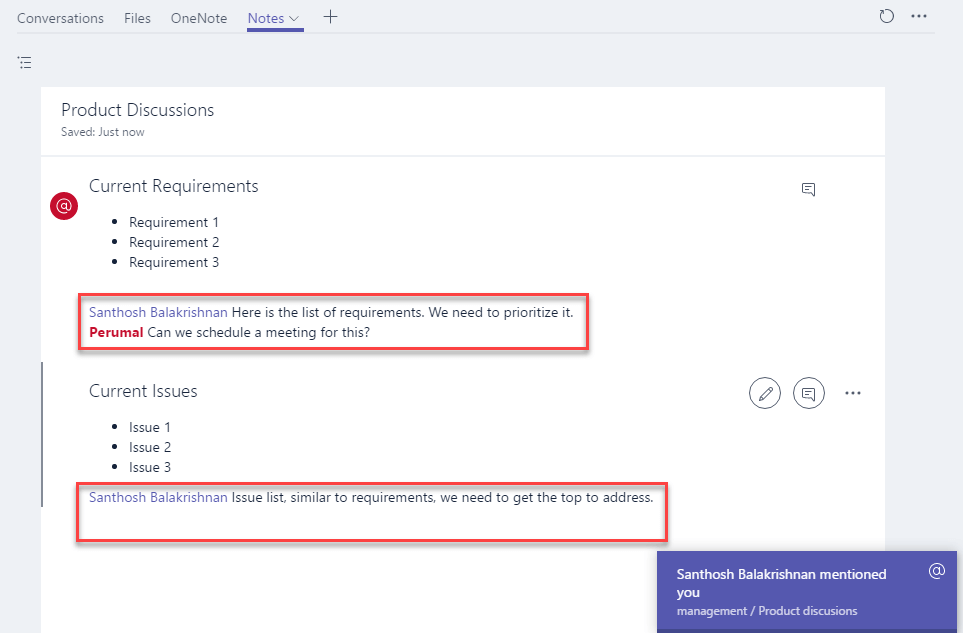
2. Notes has the buid-in social functionality @mention. Instead
of chat, just below the section of content (can be text, image, URL)
connect with the user and the entire chat history in the section itself.
Notes is a great addition to Teams and its cool feature, you continue to
use OneNote also. Based on your working style you can choose either
Notes or OneNote.
Meetings
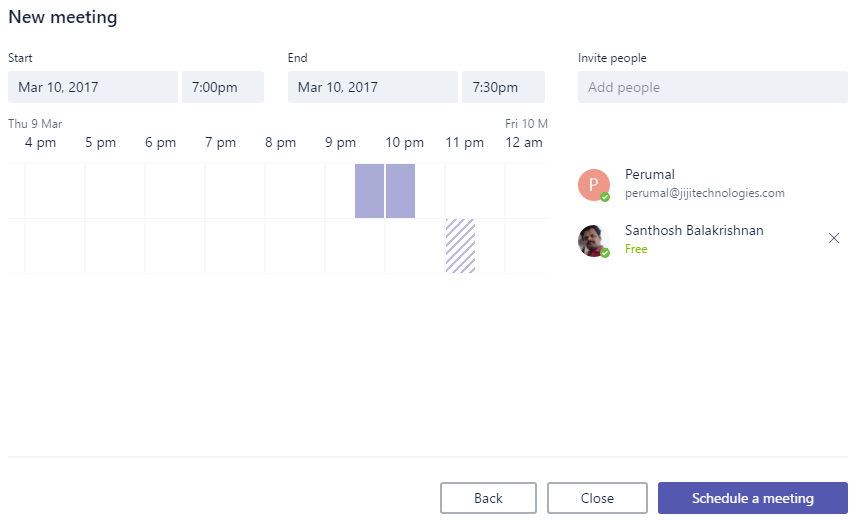
You can schedule new meetings and great thing is Scheduling
Assistant, which can show you busy/free status.
Search
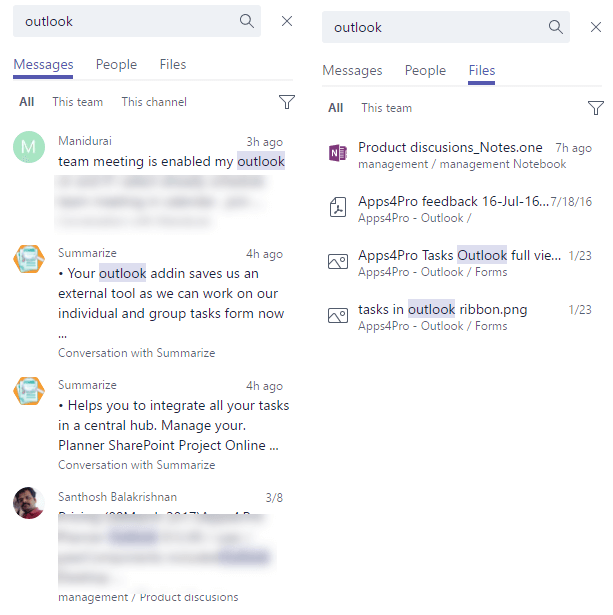
Now the search is powered by Delve and SharePoint search, surfaces the
conversations and files.
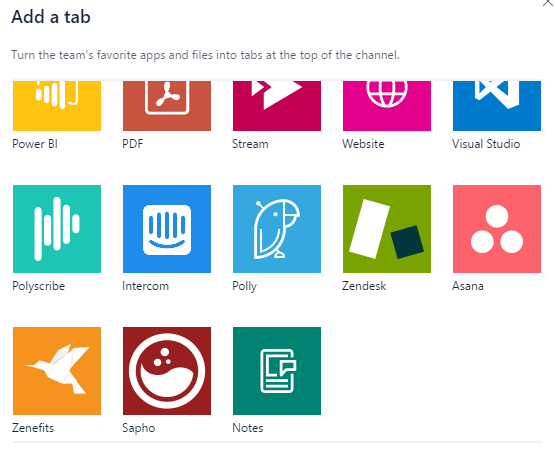
New additions in Tabs
There are lot more new surprise additions in Tabs like SmartSheet,
Asana, ZenDesk, HootSuite etc…
Microsoft made a great product to integrate anything with Teams and chat
on that.
















