

In June-2016, Microsoft announced the preview of Azure Information
Protection (Azure IP) service. Azure IP provides security controls to
protect the sensitive information even for those who share data to
external network. Azure IP evolves after Microsoft acquired Secure
Islands last year. Secure Islands earlier provided classification
label services for the documents built on top of Microsoft RMS.
In this blog let’s explore what Azure IP offers.
What Azure IP does
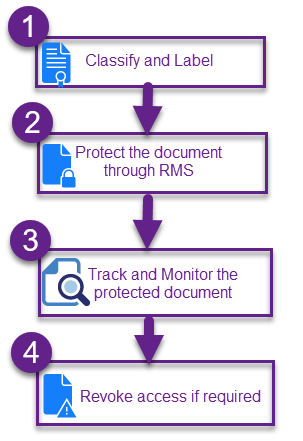
The core of Azure IP is its classification / label engine. And then it
optionally protects the classified document by applying Azure RMS.
- Classify and label the documents at the time of creation
- Protect the document according to the document’s label through Azure
RMS - Track and monitor the protected document through Azure RMS portal
- Revoke the document sharing at any time by single click through
Azure RMS portal
Azure IP is blend of classification service and Azure RMS. The
classification and labeling service is offered through the technology
acquired from Secure Islands. The rest of the process (protect, monitor
and respond) is done through Azure RMS.
How Azure IP is better than the existing solutions?
The DLP policies work by creating the Transport Rules in Exchange Online
and the information are checked only at the time of exit. In Azure IP,
user needs to label the document at the time of creation and update.
Once the label is selected, corresponding Azure RMS policy is applied
and the document is protected. So there is no escape for the documents
from protection.
Normally when the level of security increases, the convenience for the
users will get decreased. But Azure IP strike the chord with perfect
balance, where it just prompts the user to select the label and for
automatic label application, it just shows the notification to the user.
The ease-of-use with Azure IP is the main point of attraction.
Inside Azure IP Label
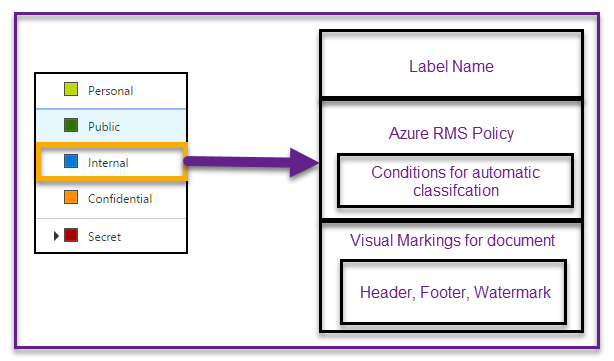
Azure IP provides set of default built-in labels and each label holds
the below information.
- Azure RMS template to be applied for this label
- Conditions to automatically apply this label
- Visual markings (header, footer, watermark) to apply on the document
Below shown is the strip down screen-shot of “Internal” label in Azure
IP portal.
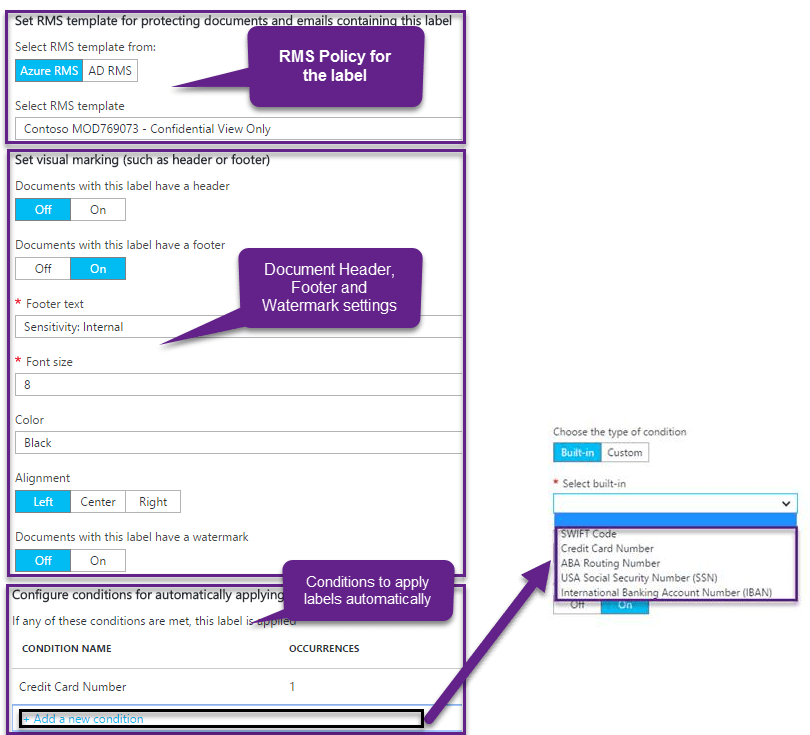
Similar to DLP, Azure IP offers built-in conditions which can be used to
automatically apply the label to the documents. Even we can create
custom conditions using regular expressions also
How to get started with Azure IP
Configure the Azure IP labels by logging into Azure Portal
(https://portal.azure.com/?Microsoft_Azure_InformationProtection=true)
Download and install the Azure IP
AddIn
.
Azure IP Add-In currently supports:
Word, Excel, PowerPoint, and Outlook (2010/13/16)
For detailed steps please check this
blog.
How Azure IP Add-In interacts with documents
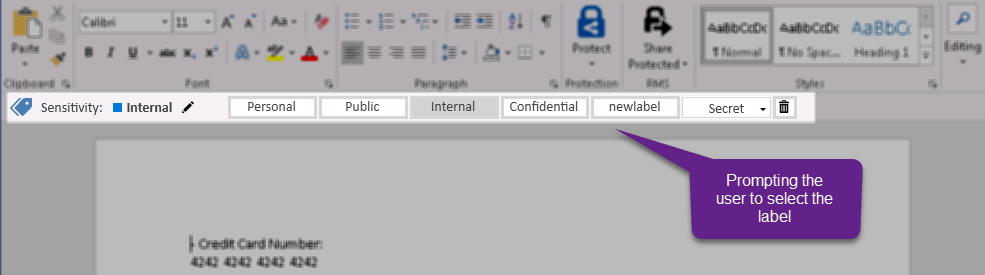
Once the labels are configured in Azure IP, below notification is shown
to the user to classify the document.
If you have configured conditions for automatic application of label,
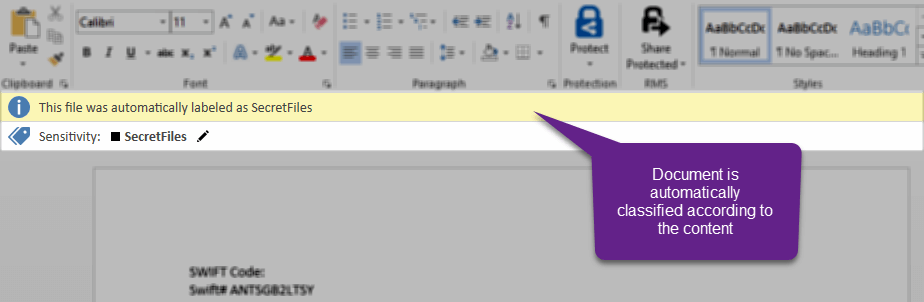
then the below notification is shown in which the label is applied
automatically.
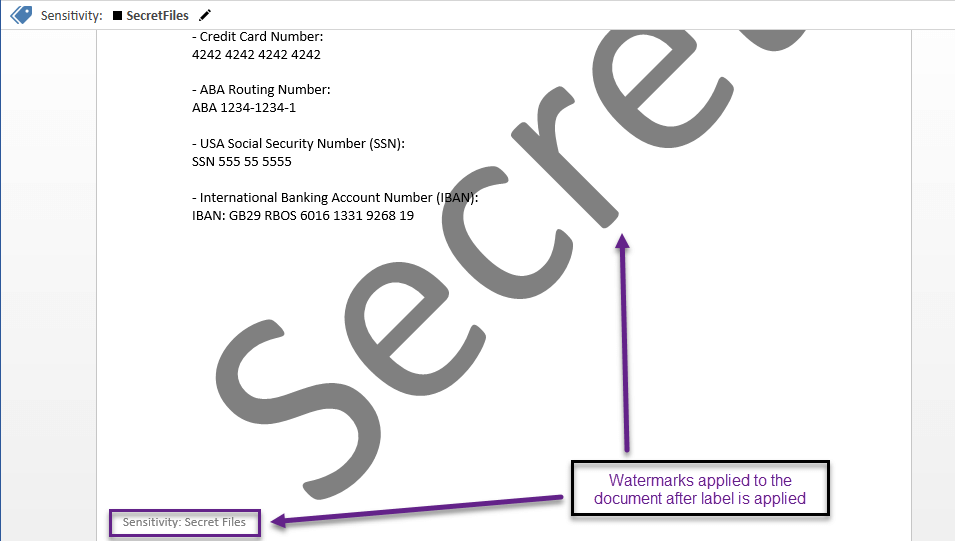
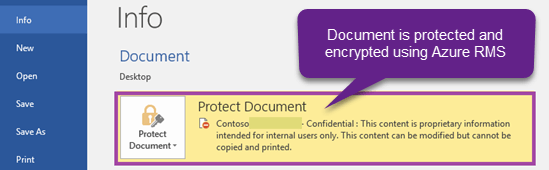
After the label is applied, the visual markings are applied to the
document and the document is protected.
Track the document through Azure RMS Portal
The protected document can be tracked for its usage through the Azure
RMS portal
(https://portal.azurerms.com).
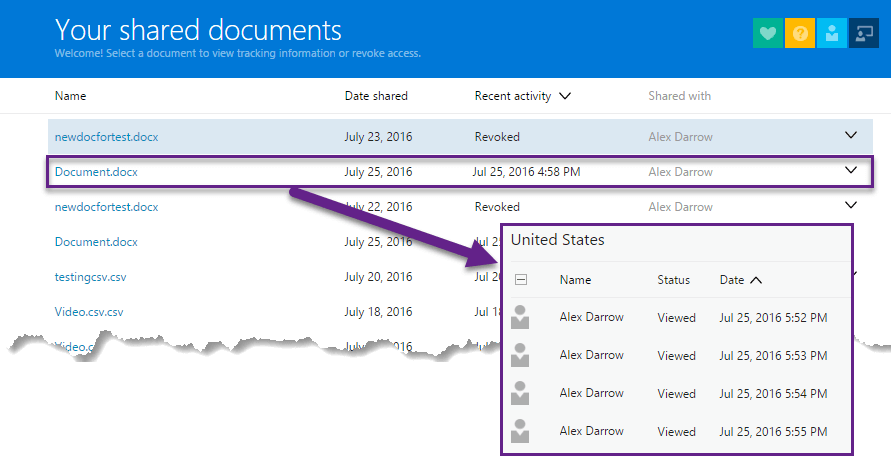
Revoke the sharing of the document through Azure RMS Portal:
By single click in the portal, you can revoke the document.
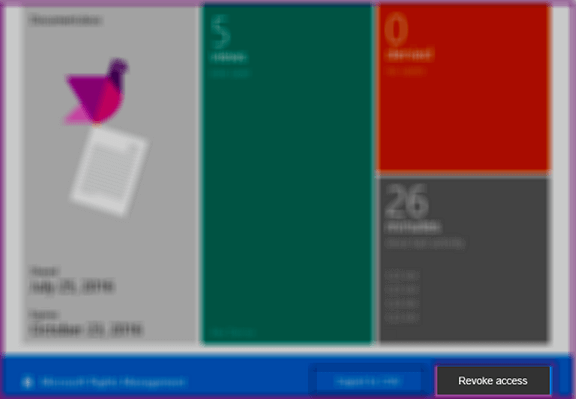
Below error is shown after the access is revoked from the document.

How updates to the Azure IP labels are handled
Whenever a document is opened, the Azure IP Add-In automatically
downloads the updated policy details and place it locally. So, even if
you are not connected to internet, the Azure IP Add-In uses the locally
saved policy details. Since the Azure IP label properties are not
changed often, maintaining the details locally won’t harm in most of the
cases.
Licensing details for Azure IP
Azure IP is bundled with EMS license suite. There are two variants
- Azure Information Protection Premium P1
- Azure Information Protection Premium P2
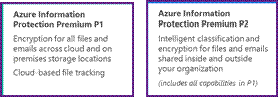
The existing Azure RMS premium becomes Azure Information Protection
Premium P1 after GA. For more details, check this EMS license
announcement
blog
In Azure IP preview, all the features of Azure Information Protection
Premium P2 is available

















