Dynamic access control (DAC) facility, introduced in windows server 8 is
a nice provision for security management. Previous versions of windows
enforced file/folder security by granting access to the users and groups
directly. Many security groups have been created and managed to offer
access. With DAC, administrators could add conditional expressions with
AD attributes to grant the permissions. This has considerably reduced
group management complexities. Dynamic Access Control can be applied in
addition to any existing share and NTFS permissions, which enforces
centrally governed rules. Dynamic Access Control is one of the key
components of Active Directory in Windows Server 8.
Claims / Resources
Earlier, claims based authorization has been used in Active Directory
Federation Services (ADFS) and Windows Identity Foundation (WIF). In
similar fashion, claim based authorization is applied in DAC with AD
attribute values as a claim. These claims can be used in Central Access
Policy to define the condition for access. You can set claims for both
users and devices. For example “user.department == Finance” and
“device.managed == true”. The other exclusive feature which server 8
attracts everyone is classifying the file/folders by tagging the
resource properties. Hence, also with the resources’ properties the
access is controlled. So, now you could write a condition like
“resource.country == US” and “user.department == Finance”.
JiJi AuditReporter – Effective Permissions Report
JiJi AuditReporter is an auditing tool
which supports windows server 8, generates effective permissions report
for a set of users on share(s). Effective access permissions are
calculated by accounting the existing share/ NTFS permissions, Dynamic
access control (DAC) and Central access policy (CAP). Hence this report
displays the resultant access permissions for the users on shares.
Some of the nice features of Effective Permissions Report are:
- Effective permission for set of users on set of shares are
calculated in one go. - User’s claims are automatically retrieved from Active Directory
attributes for effective permission calculation. - The generated report can be switched between Advanced Permission
View and Basic Permission View. - The generated report can be filtered as in Microsoft Excel.
- The generated report can be exported to PDF/HTML/Excel.
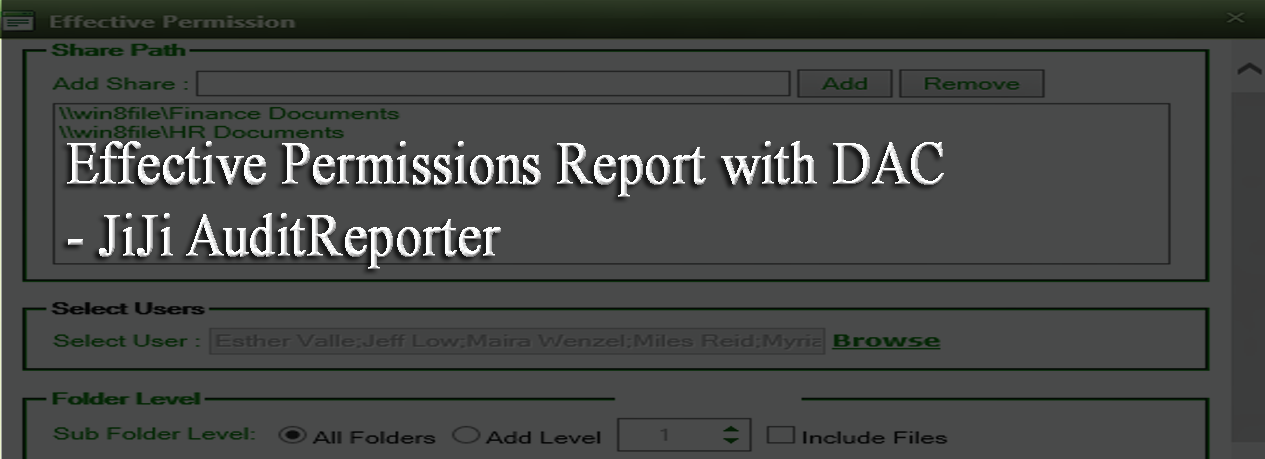
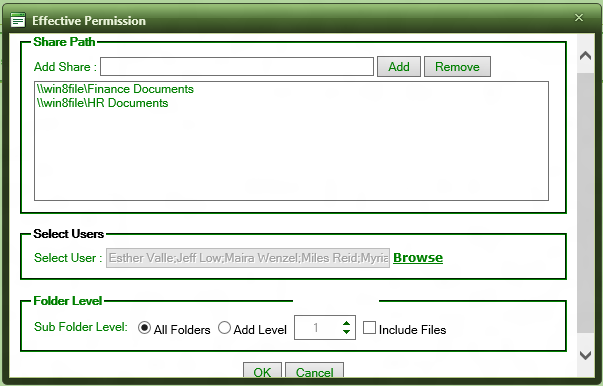
The below screen shot shows how the administrators can provide multiple
users and multiple shares to generate the E ffective Permissions Report.
Here the administrator has the folder option to generate the Effective
Permission Report for top level folder or for given ‘n’ level. Even the
administrator has option to exclude files in the folders.
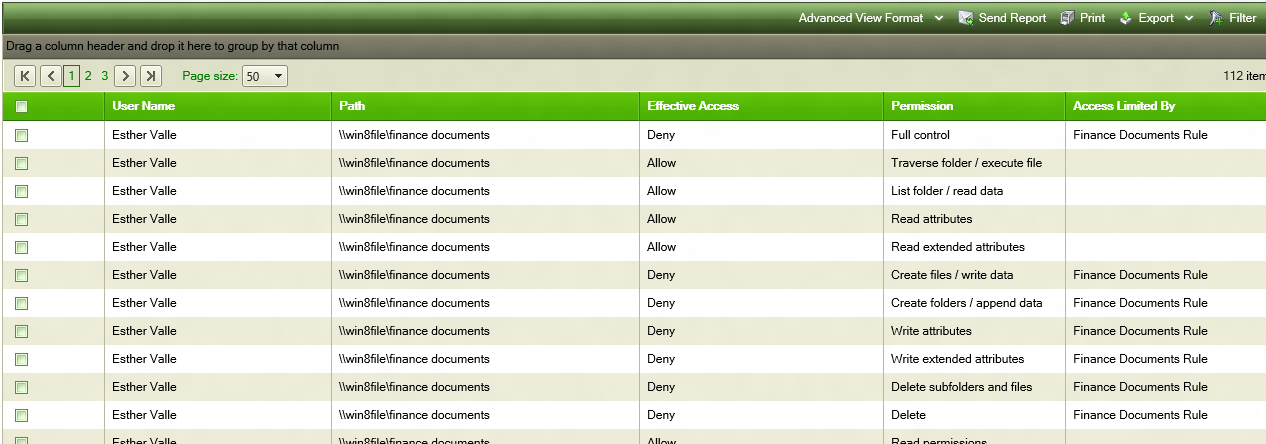
The below screen shot shows the part of the Effective Permission Report
generated.
The administrator can group the generated report by any of the columns
as shown below (Grouped by share path and user name).
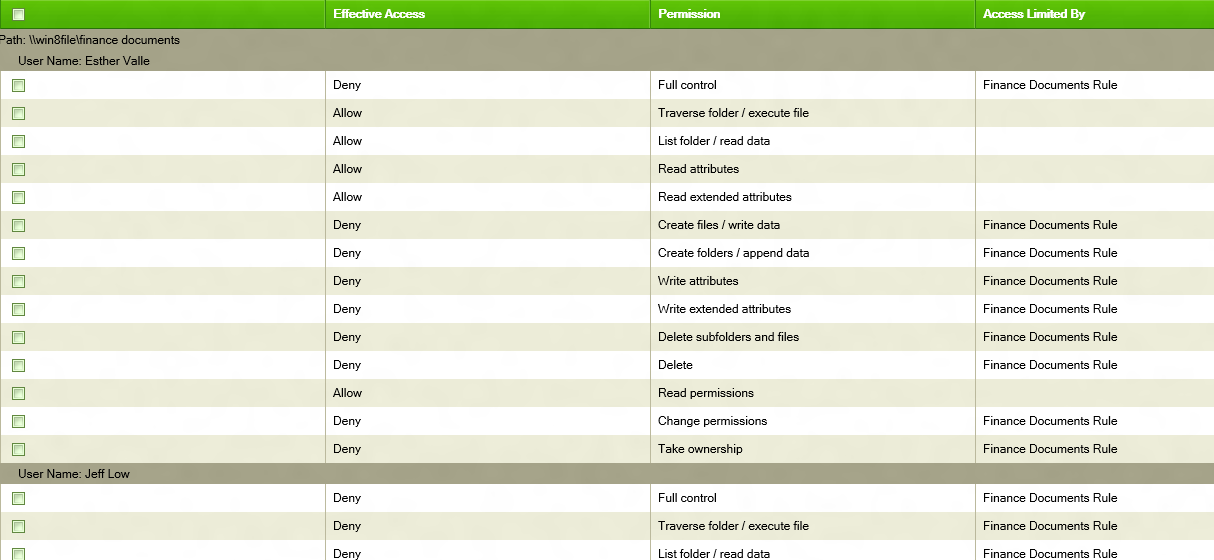
This grouped report is same as in the Windows Server 8 Effective
Permission Security Properties Tab.
The above generated report is shown with Advanced Permissions set.
Administrator can even switch to Basic Permission set also as shown
below.
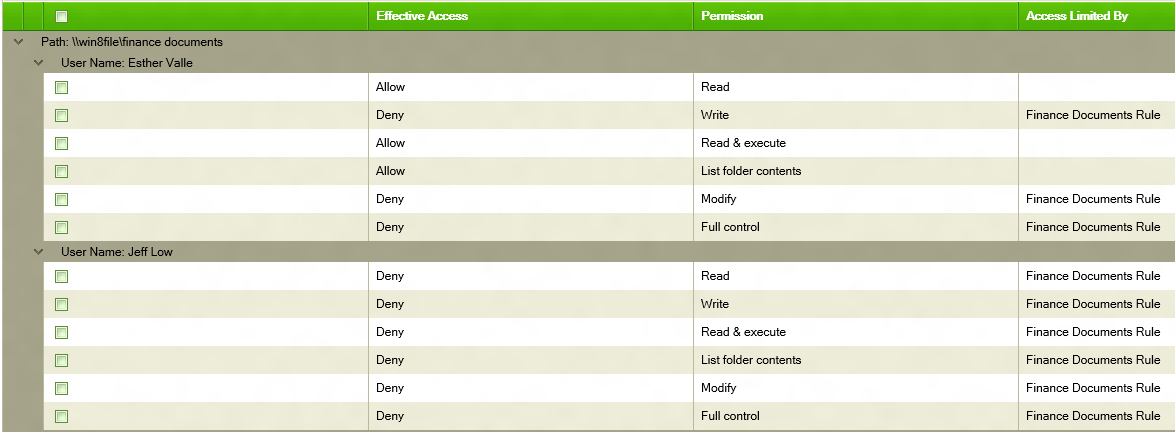
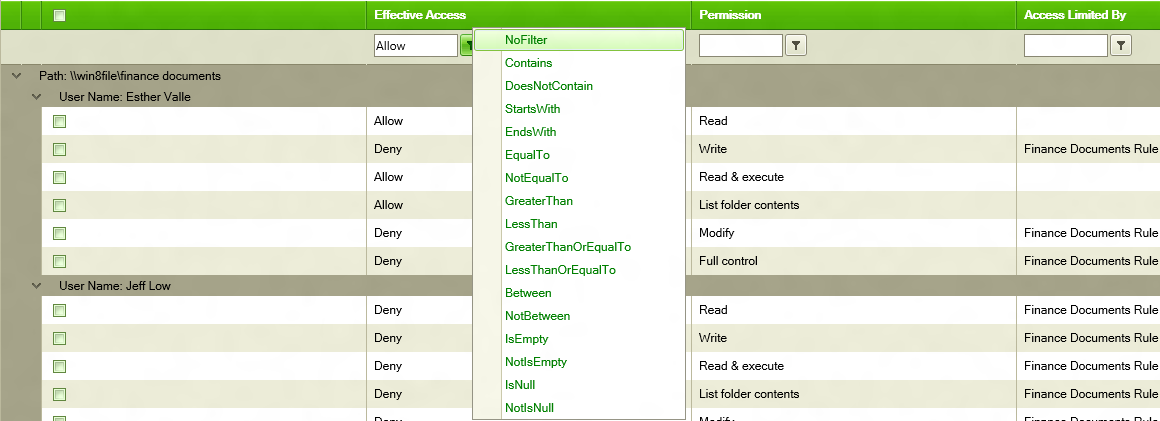
In the generated report, we can filter the report based on multiple
columns as in Microsoft Excel.