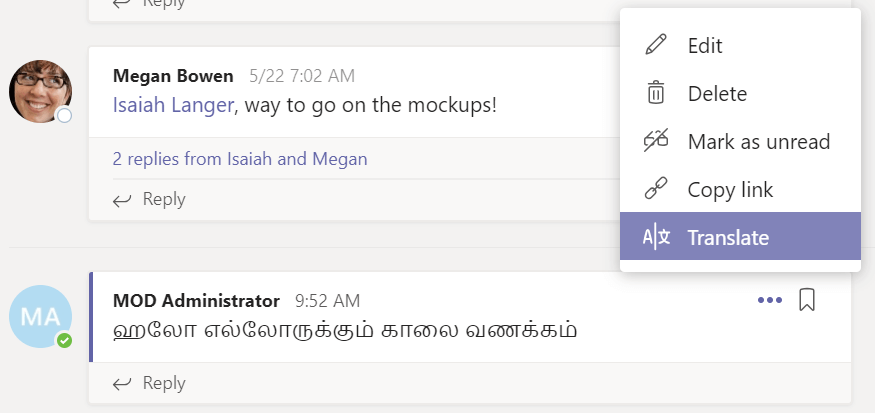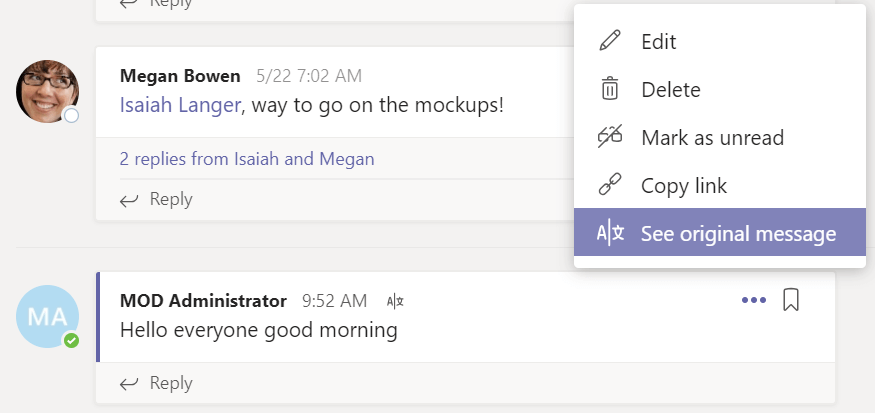
Microsoft announced translation feature in Microsoft Teams. This will
break the language barrier between the team members.
By default, the translation feature is not enabled in Microsoft, your
administrator need to enable it. This blog post shows how to enable this
feature and translation in action.
Translation feature is present under the Teams Messaging policy. At the
time of writing this blog, this option is not lightened up in Teams &
Skype for Business Admin Center.
So, we need to enable it using PowerShell.
Enable translation feature in Teams Messaging policy using PowerShell
Connect using Skype for Business Online module
            Import-Module SkypeOnlineConnector
            $cred = Get-Credential
            $session = New-CsOnlineSession -Credential $cred
            Import-PSSession $session
Check the Global Teams Messaging Policy, whether translation is enabled
or not
Get-CsTeamsMessagingPolicy -Identity Global
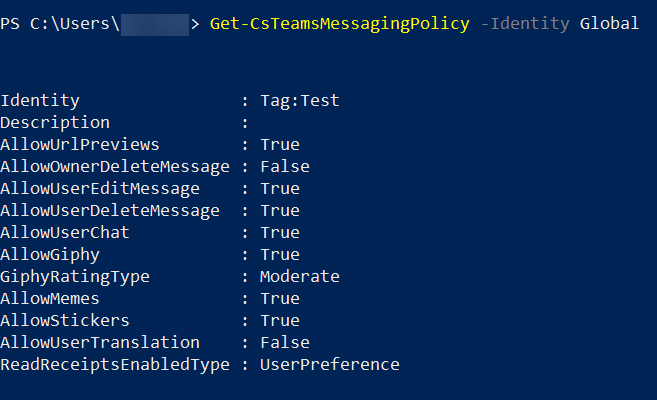
If not set, enable it as follows
Set-CsTeamsMessagingPolicy -Identity Global -AllowUserTranslation $True
Wait for few minutes and reopen your Teams client to find the
translation feature.