In our previous
blog,
we dealt with importing user profile photos to Office 365. In this blog,
we share the steps to download user profile photos from Office 365 using
PowerShell cmdlet – Get-Userphoto.
PowerShell Script
Download all user profile pictures from Office 365
Following PowerShell script is used to download all user profile
pictures from Office 365,
#Input Parameters:
$folderpath="E:\O365\AllUserProfilePictures\"

#Download all user profile pictures from Office 365:
New-Item -ItemType directory -Path $folderpath –force
$allUsers=Get-Mailbox -RecipientTypeDetails UserMailbox -ResultSize Unlimited|select UserPrincipalName,Alias
Foreach($user in $allUsers)
{
$path=$folderpath+$user.Alias+".Jpg"
$photo=Get-Userphoto -identity $user.UserPrincipalName -ErrorAction SilentlyContinue
If($photo.PictureData -ne $null)
{
[io.file]::WriteAllBytes($path,$photo.PictureData)
Write-Host $user.Alias “profile picture downloaded”
}
}
Download user profile pictures for specific users from Office 365 via CSV file
Following PowerShell script is used to download user profile pictures for specific users from Office 365 via CSV file,
#Input Parameters:
$csv = Import-Csv 'E:\O365\Users.csv'
$folderpath="E:\O365\UserProfilePictures\"

#Download user profile pictures for specific users from Office 365 via CSV file:
New-Item -ItemType directory -Path $folderpath –force
Foreach($user in $csv)
{
$userName=($user.UserPrincipalName -Split "@")[0]
$path=$folderpath+$userName+".Jpg"
$photo=Get-Userphoto -identity $user.UserPrincipalName -ErrorAction SilentlyContinue
If($photo.PictureData -ne $null)
{
[io.file]::WriteAllBytes($path,$photo.PictureData)
Write-Host $userName “profile picture downloaded”
}
}
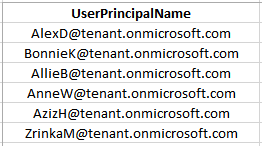
Sample CSV
Result
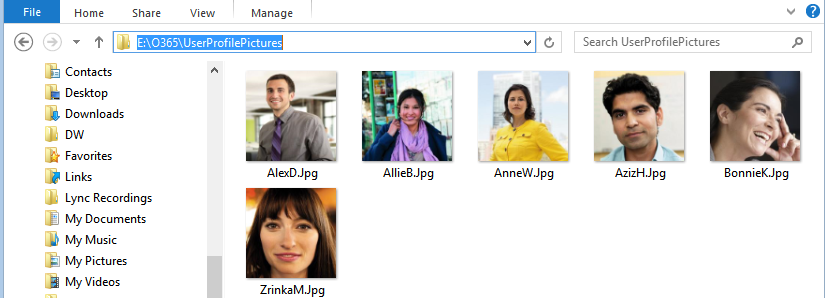
For example, here you can find the result after executing the PowerShell script to download user profile pictures for specific users from Office 365 via CSV file as follows,
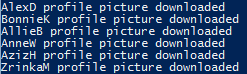
PowerShell Output:
Downloaded user profile pictures for specific users from Office 365 using CSV file